How to enable Wi-Fi Calling on the Razer Phone

| Answer ID: 753
This article will show you how to enable Wi-Fi Calling on the Razer Phone.


Step-by-step process:

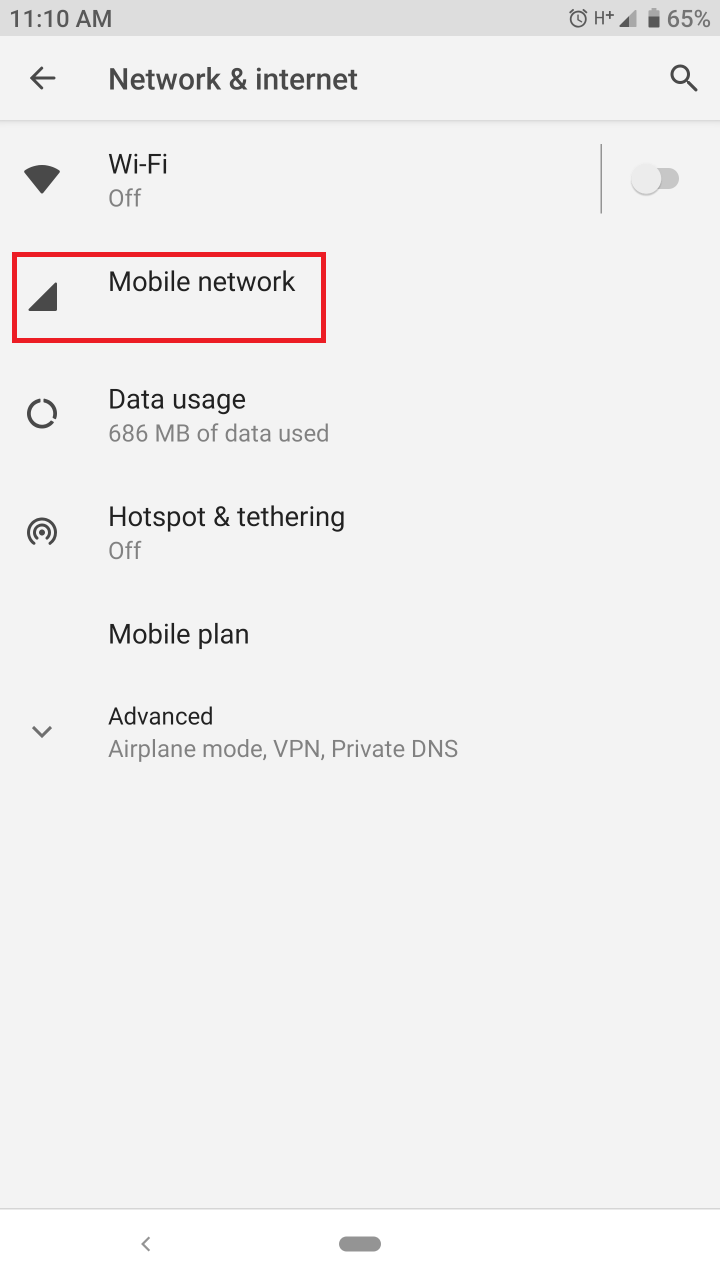
  1. Go to Settings and tap "Network & Internet" > "Mobile Network".
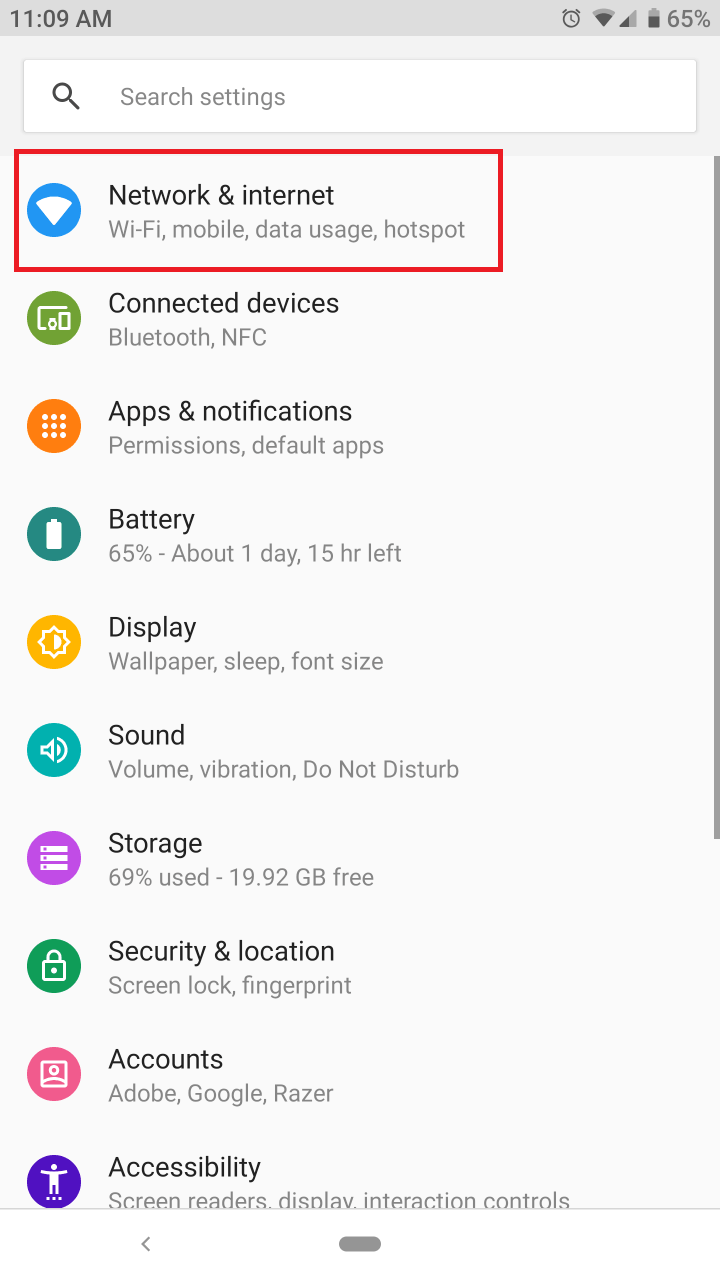
    Tap Network & internet     Tap Mobile Network

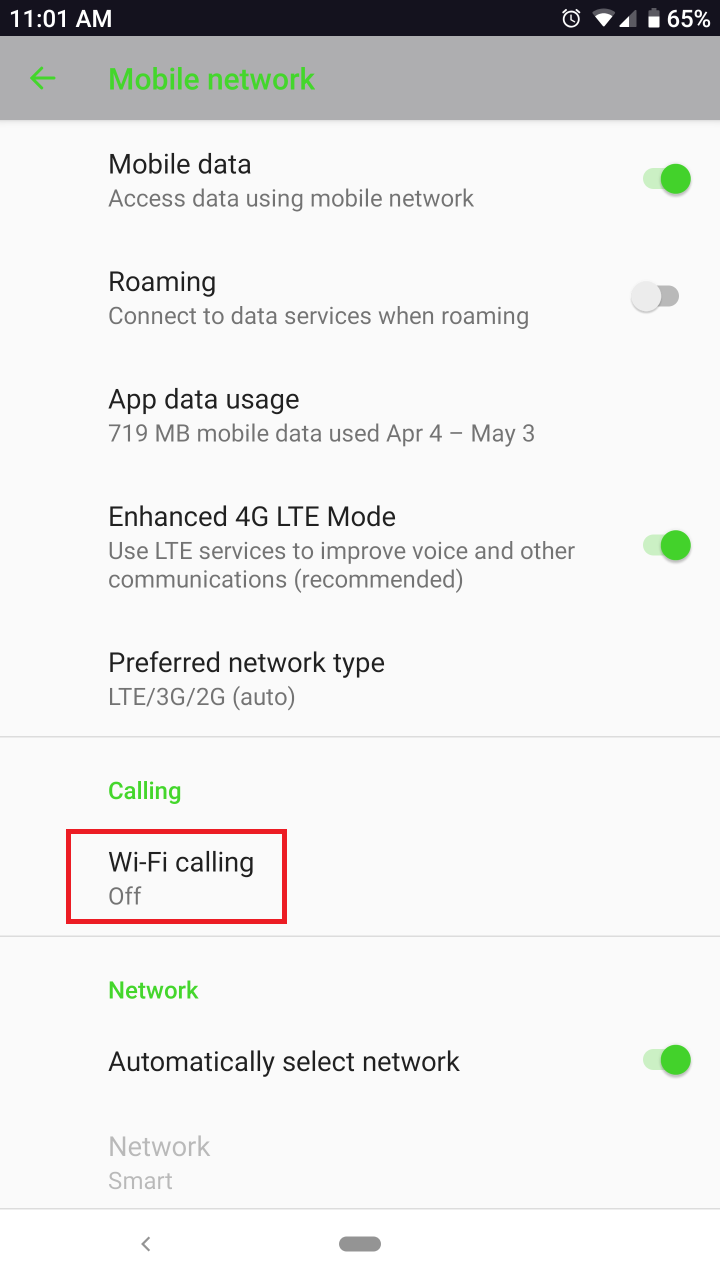
  2. Tap "Advanced" and then select "Wi-Fi Calling".
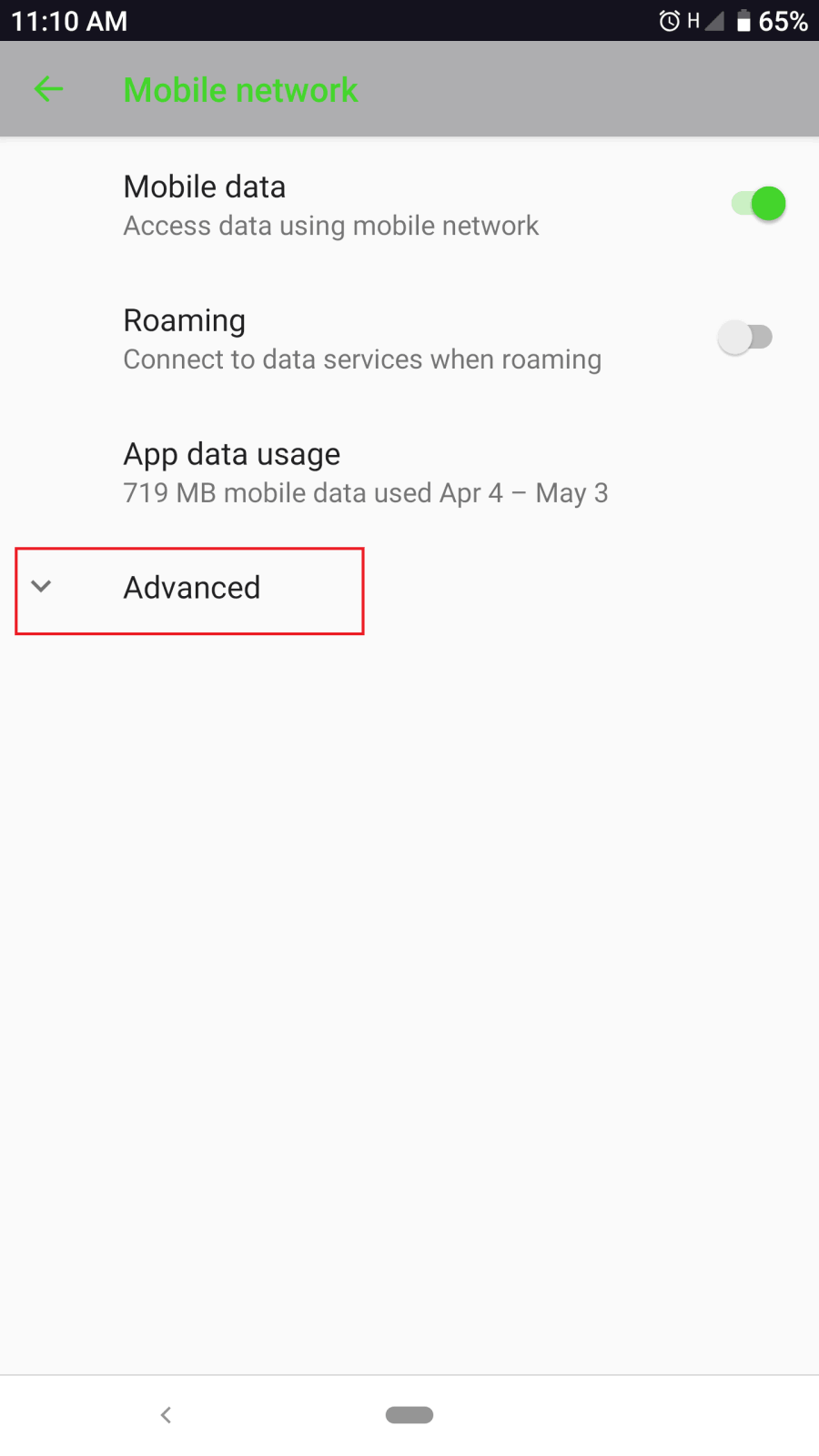
    Tap Advanced     Tap Wi-Fi Calling

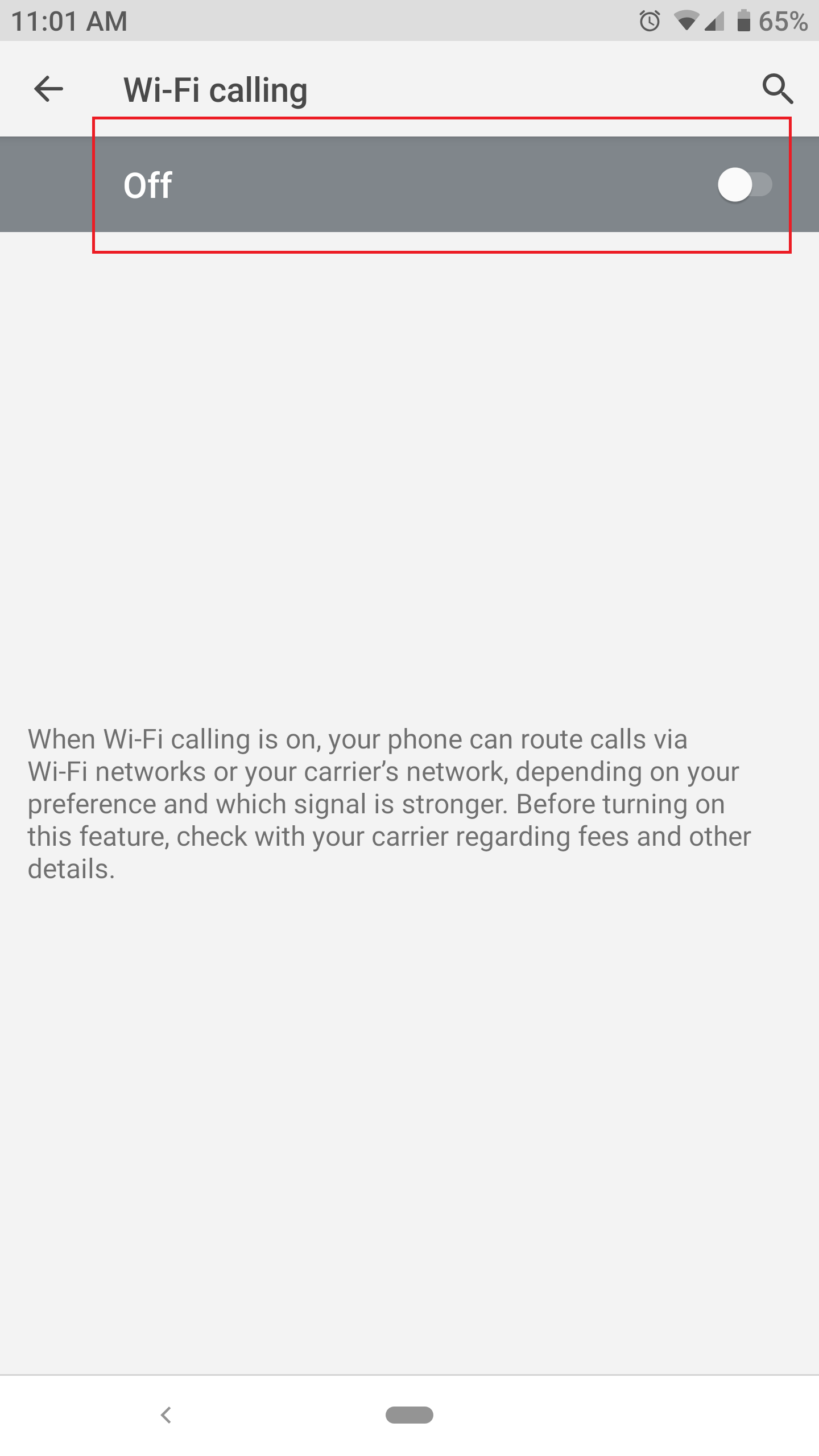
  3. Tap to toggle on the "Wi-Fi Calling".

    Tap to toggle on the Wi-Fi Calling
     

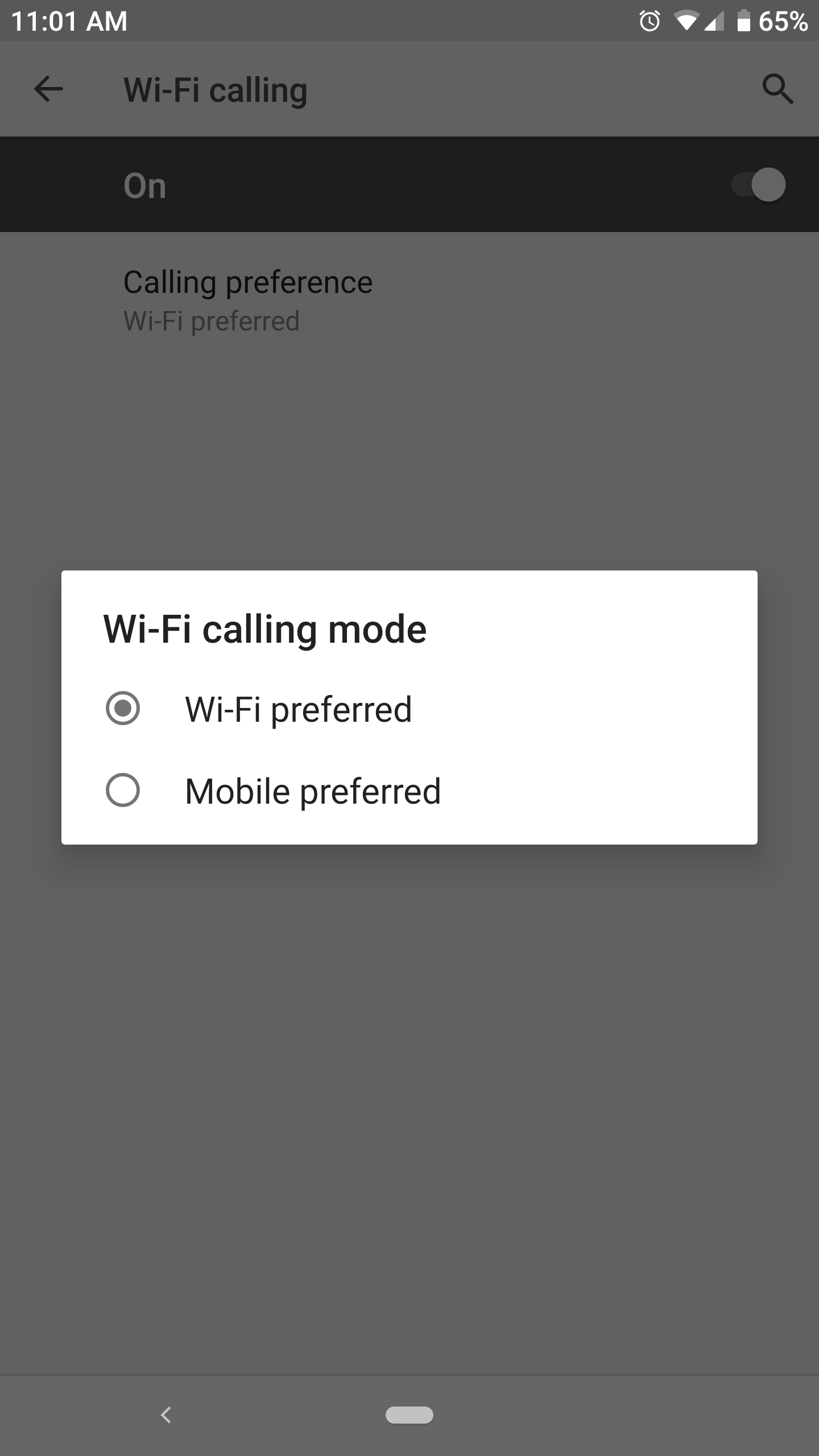
  4. You can also select your "Calling preference" to either "Wi-Fi preferred" or "Mobile preferred". 
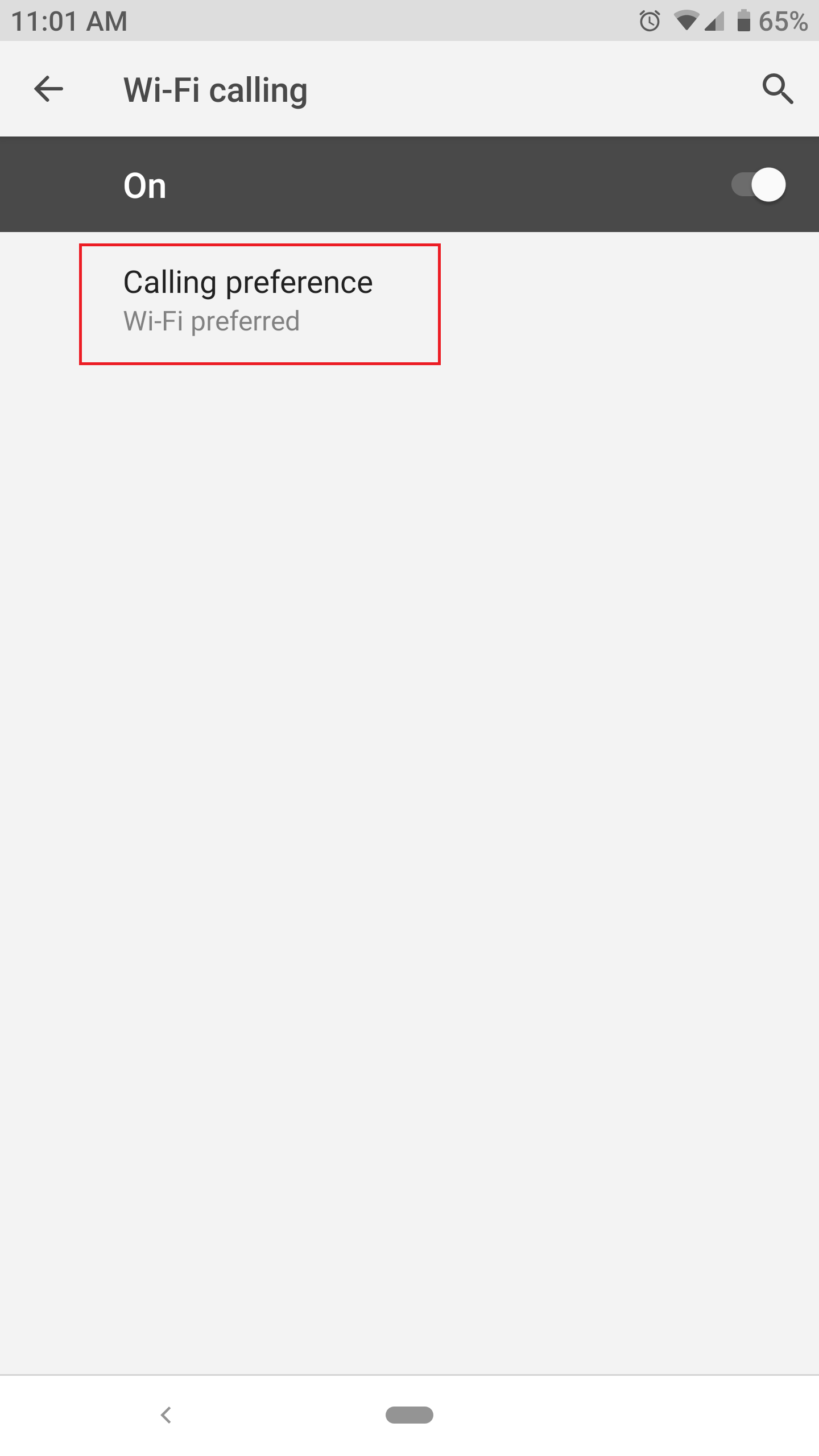
    Tap Calling Preference     Tap Wi-Fi preffered

Is this answer helpful?