
Wireless PC peripherals are in near-constant use, making battery longevity and power efficiency a critical performance consideration.
Several factors can affect the battery life of your Razer mouse, including:
- Settings
- Charging
- Connectivity
- Storage Temperature
Below are the tips to help extend the battery life, maximize performance, and prevent damage to your Razer mouse.
-
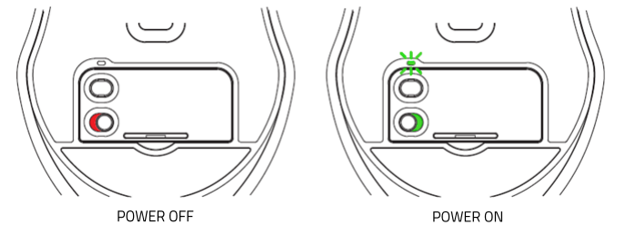
Set your Razer mouse to "off" while charging. A fully depleted battery will not charge properly if the mouse is left in the "on" state.
-
Turn your Razer mouse off when not in use to prevent slow battery discharge.
-
Do not store the battery in a fully depleted state. Unlike NiCad batteries, the Lithium-ion batteries in Razer mice do not develop memory, so routine full discharges are not necessary — in fact, fully discharging a Lithium-ion battery can damage it.
-
Store your Razer mouse with the battery charged to just below full if you will not use it for an extended period.
-
Keep the battery charge between 20% and 80% to preserve long-term battery health.
-
Keep the battery away from excessive heat. Lithium-ion batteries perform best in cooler temperatures.
-
Use the original charging cable that came with your Razer mouse.

