
Microphone sidetone on Razer headsets enables real-time voice playback through the earcups and is controlled through Razer Synapse microphone settings. Improper configuration or elevated monitoring levels can result in echo, distraction, or unintended audio feedback.
Follow the detailed instructions below to turn off mic monitoring if you hear yourself speaking on your Razer headset.
- Open Razer Synapse.
- Go to the Razer Device Tab > “MIC”.
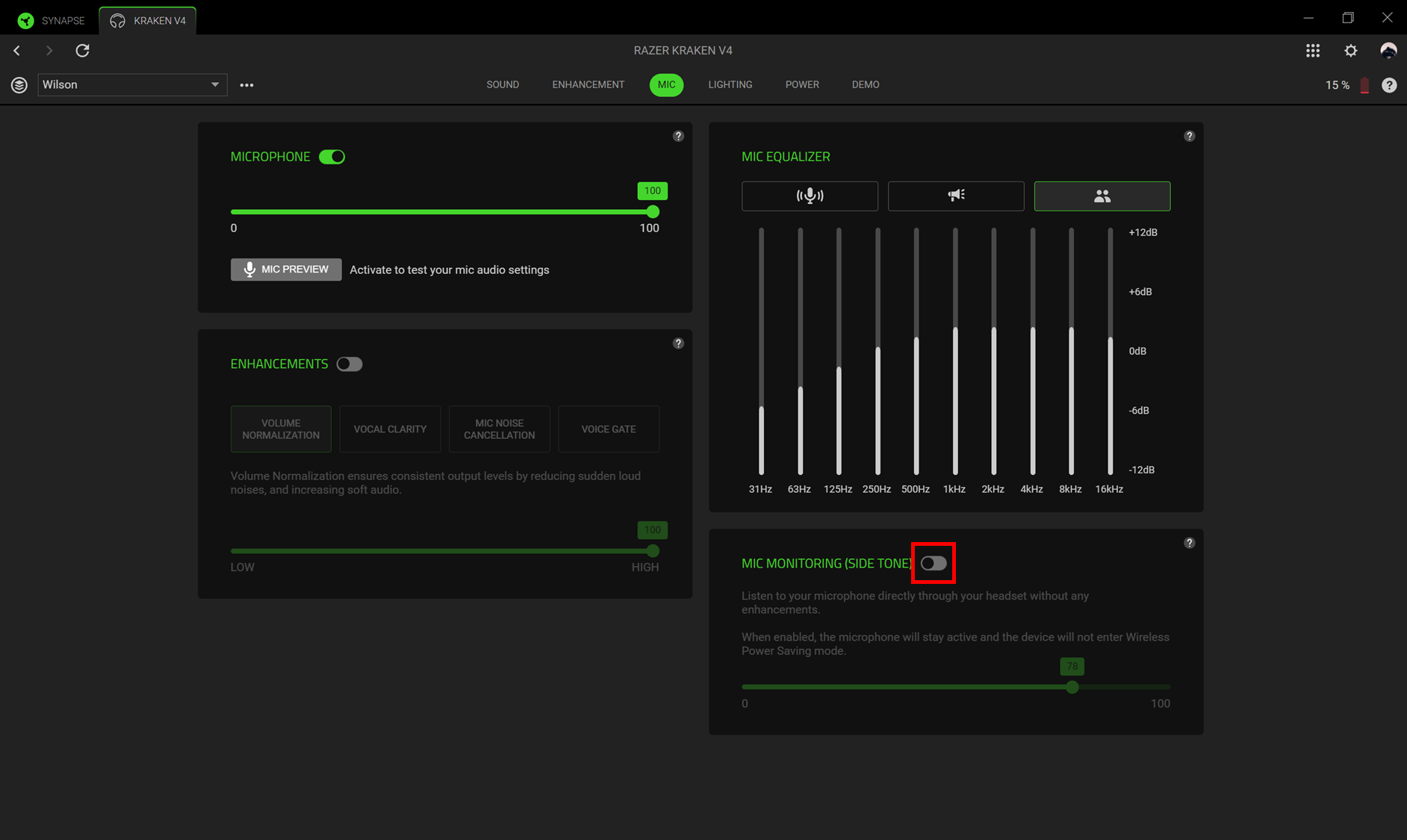
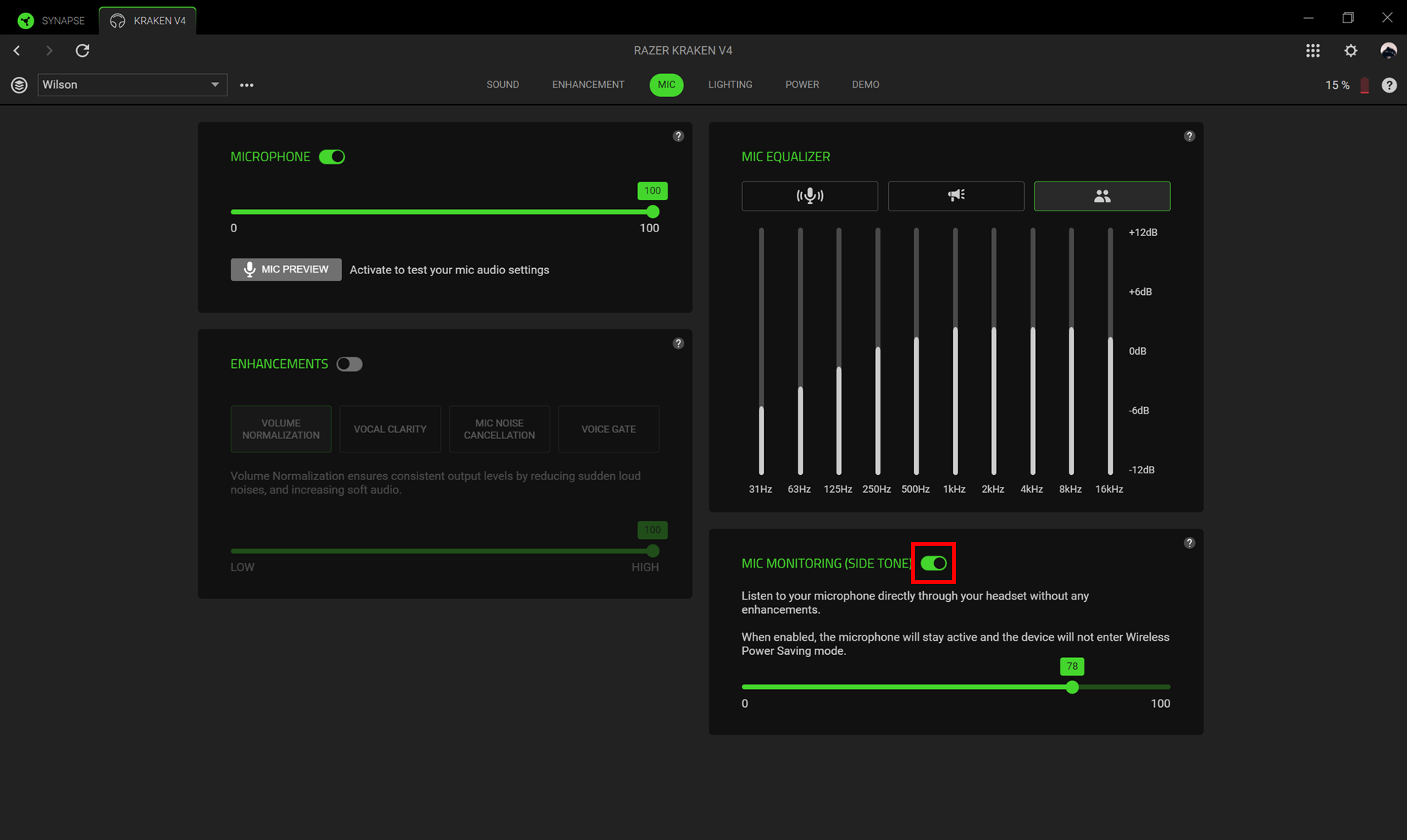
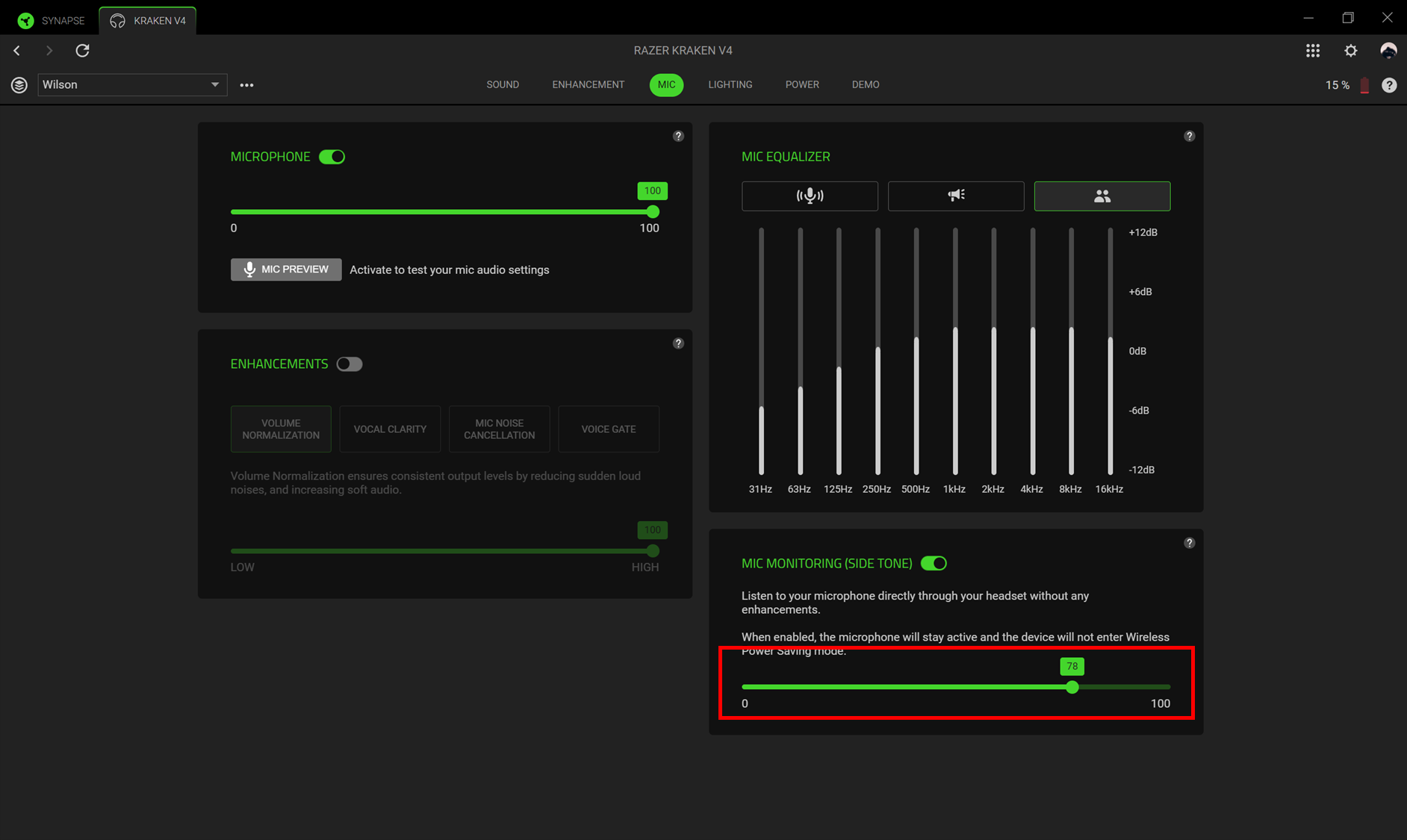
- Toggle on or off “MIC MONITORING (SIDETONE)” or adjust the mic monitoring level to your preference.
- Toggle off
- Toggle on
- Adjust monitoring level
- Toggle off

