
To set up the Razer Stream Controller X with Streamlabs, make sure that you are running the latest Streamlabs and Loupedeck software.
Step-by-step process
-
Open the Loupedeck software
-
Start “Streamlabs”.
-
Identify the press action or rotation adjustment you want to add.

-
Drag the desired action to a button or dial.
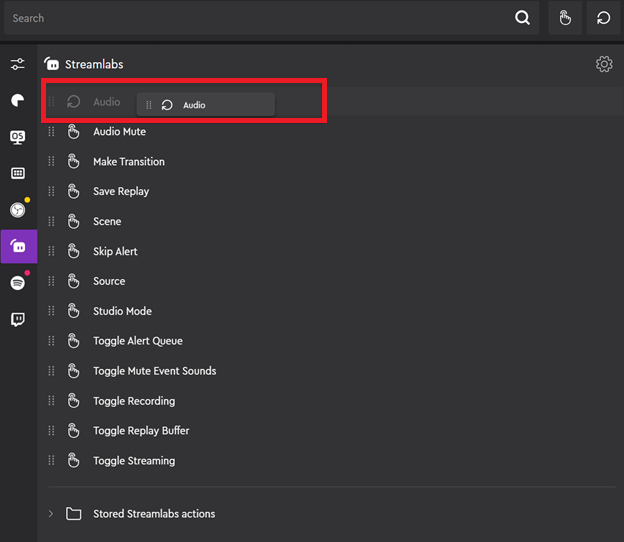
-
Click on an action to customize the icon.
-
Click “Save”.

