
Razer Edge performance issues are caused by a variety of factors. To find the root cause and resolve it, follow the steps below.
Step-by-step process:
-
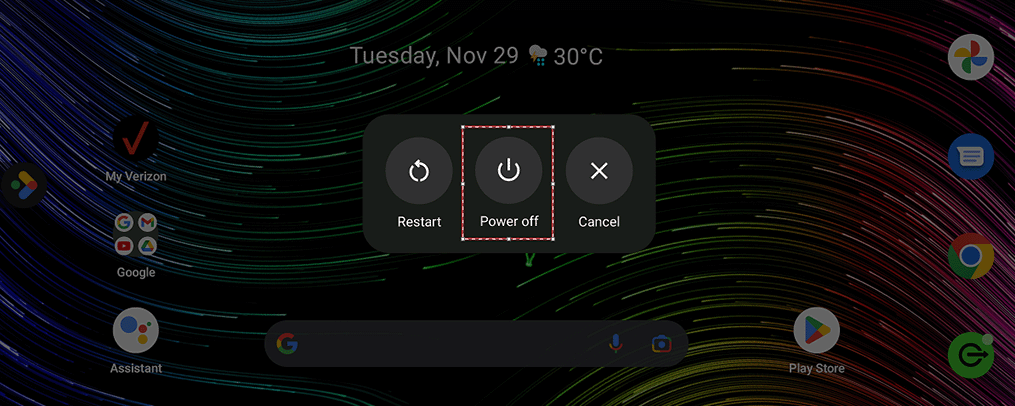
Press the Volume up and Power buttons simultaneously to boot the Razer Edge to safe mode.
-
Press and hold the “Power off” option.
-
Tap “OK” to reboot to safe mode.
-
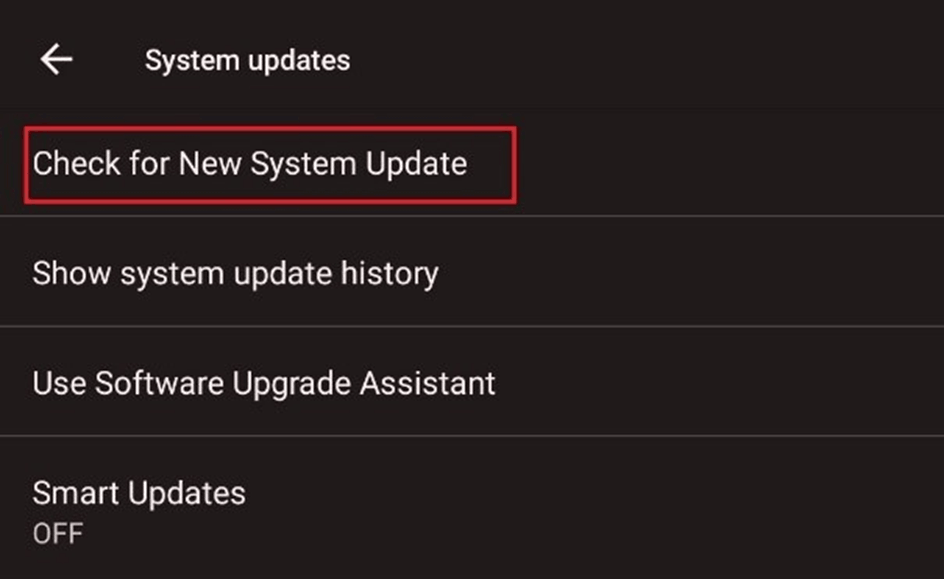
If you are still experiencing a slowdown, check if you are running the latest software for the device. Ensure your device is always up to date by performing a software update.
- Go to “Settings”.
- Click “System Update”.

- Choose “Check for New System Update”.
-
If the issue persists, consider doing a factory data reset. To do that, follow the steps below:
Note: It is recommended to back up all your data before performing a factory reset since this process will delete all data and settings on the Razer Edge.
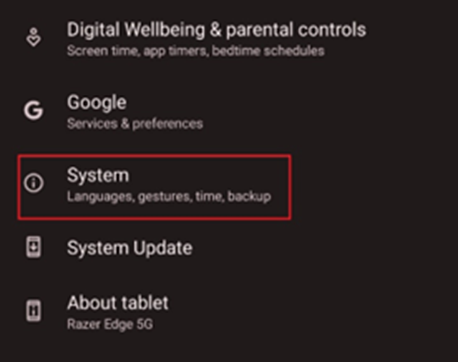
- Go to "Settings" > "System".
- Select “Reset options”.
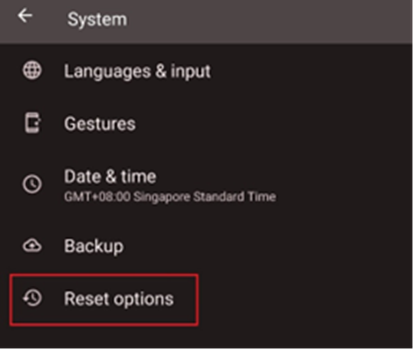
- Select “Erase all data (factory reset)”.
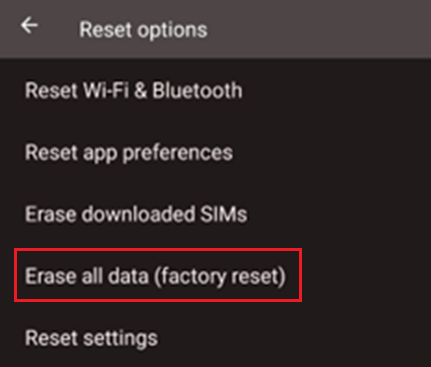
- Do not interrupt and wait for the factory reset to finish.
- Go to "Settings" > "System".

