Applicable Model:
New Razer Blade models feature a dual-mode display, which is known to offer a more effective and efficient way of LCD screen backlighting. This feature fits more and smaller LED diodes behind LCD pixels that makes images appear brighter.
Follow the detailed instructions below to switch between Razer dual-mode displays.
Select an action
Switch through Razer Synapse
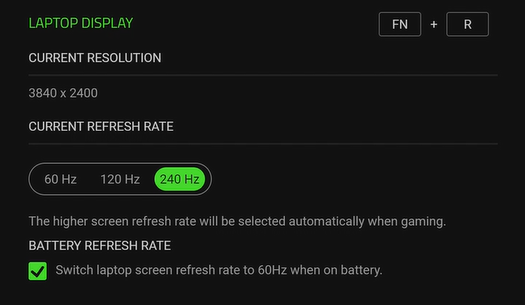
- Open Razer Synapse 4.
- Select your Razer Blade and go to “DISPLAY”.

- Choose your preferred refresh rate under “LAPTOP DISPLAY”.
Switch through BIOS
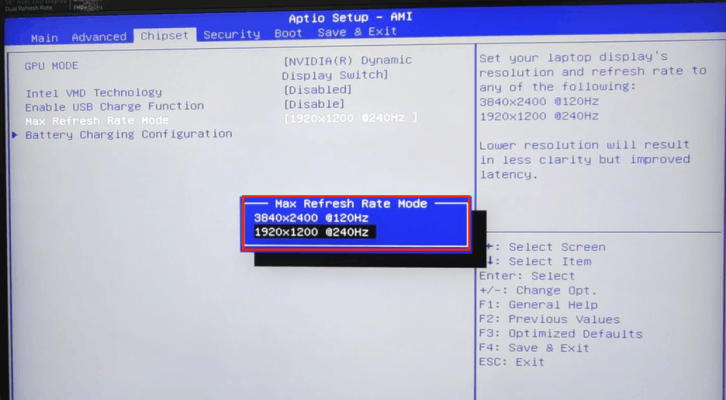
- Access the BIOS on your Razer Blade. See How to access the BIOS settings on the Razer Blade for more details.
- Go to “Chipset” > “Max Refresh Rate Mode”.

- Choose your preferred max refresh rate mode.