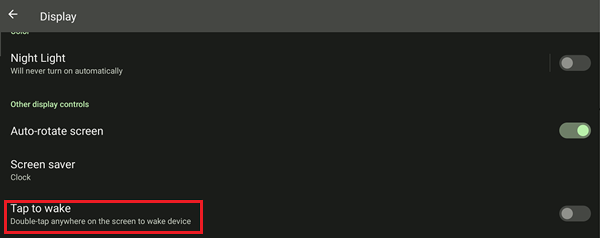
If the screen of the Razer Edge turns on unknowingly or on its own, make sure the "Always show time and info" and "Wake screen for notifications" settings are turned off.
Step-by-step process
-
Go to "Settings".
-
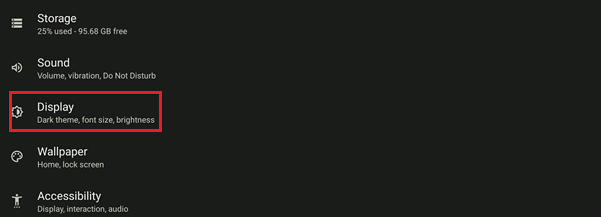
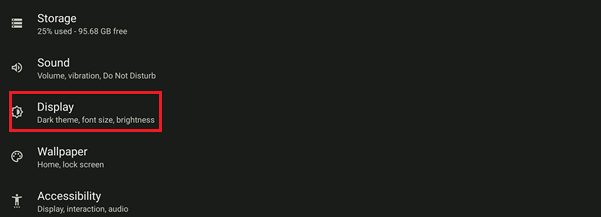
Select "Display".
-
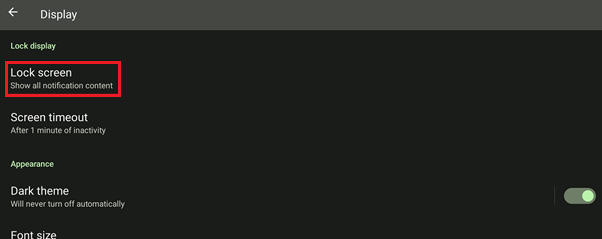
Select "Lock screen".
-
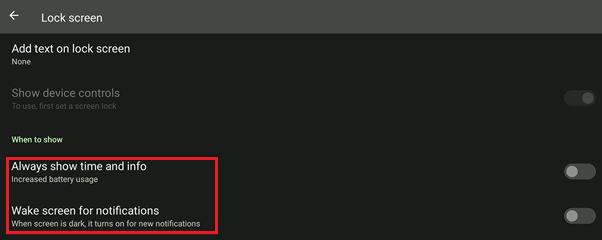
Toggle off the "Always show time and info" and "Wake screen for notifications" settings.
Alternatively, if the Razer Edge wakes up due to accidental touches, turn off "Tap to wake".
-
Go to "Settings".
-
Select "Display".
-
Toggle off "Tap to wake".