How to remove the security PIN on the Razer Edge
Updated:
31-Mar-2026 | Answer ID:
9686
This answer will show you how to remove the security PIN on the Razer Edge.
Follow the steps below to remove the security PIN on the Razer Edge:
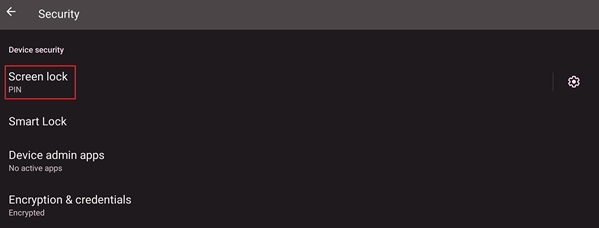
- Go to “Settings” > “Security”.

- Tap “Screen lock” and enter your passcode.
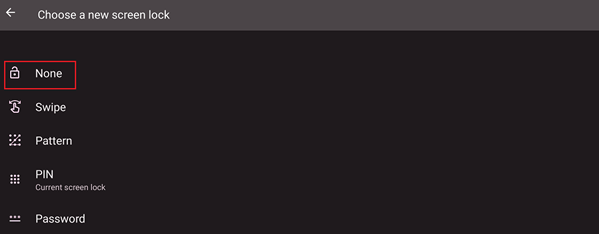
- Select “None”.
- Tap “DELETE”.

Is this answer helpful?


