
Effective February 3, 2026, Razer Synapse 3 will no longer receive updates or support cloud services. After this date, cloud syncing of configurations across PCs using the same Razer ID will be disabled.
Note: Your installed devices will continue to be configurable in Razer Synapse 3. However, if you uninstall these devices completely, you will need to upgrade to Razer Synapse 4 to continue customization.
Download Razer Synapse 4 and migrate your existing Razer Synapse 3 profiles using the Profile Migration Tool to retain access to your configurations. See How to migrate your Razer Synapse 3 Profile to Razer Synapse 4 for instructions.
What is Razer Snap Tap Mode and how do I get this functionality?
Razer Snap Tap prioritizes the latest input between two selected keys without having to release the previous one. To learn more about Razer Snap Tap, visit Razer Snap Tap Technology.
To get this functionality, ensure your Razer Synapse 4 is updated to the latest version. For the Razer Huntsman V3 Pro line, ensure it is updated to the latest firmware.
What are devices that support Razer Snap Tap?
See List of devices that support Razer Snap Tap for details.
Note: The Razer Snap Tap Mode is OFF by default.
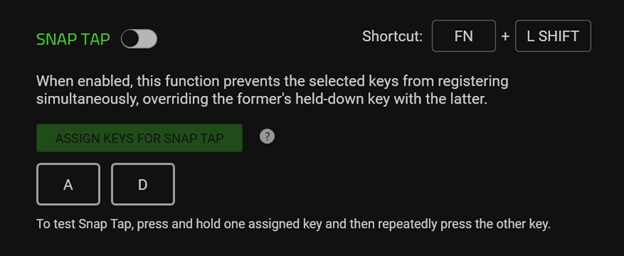
For the Razer Huntsman V3 Pro line only
To enable Razer Snap Tap, you can either toggle it on in Razer Synapse or press “FN” + “L SHIFT”.

The “A” and “D” keys will light up red momentarily to signify that Razer Snap Tap is OFF when using FN” + “L SHIFT” hotkeys and Razer Synapse is not running.
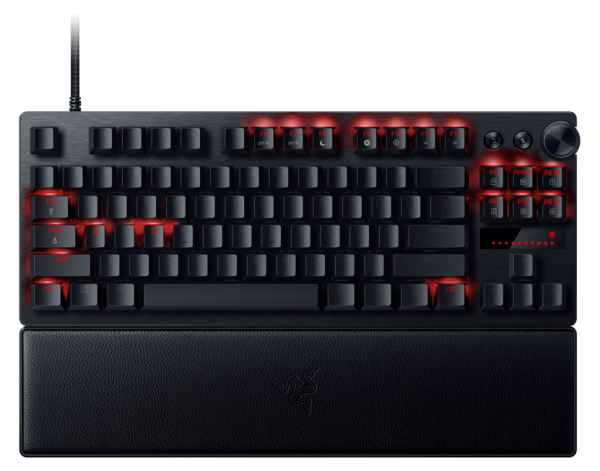
For devices that support Razer Snap Tap
To enable Razer Snap Tap, go to Razer Synapse 4 and click on your device under the “CUSTOMIZE” tab.
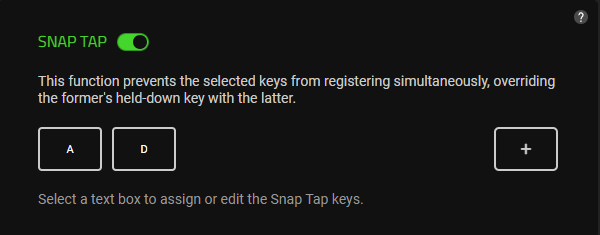
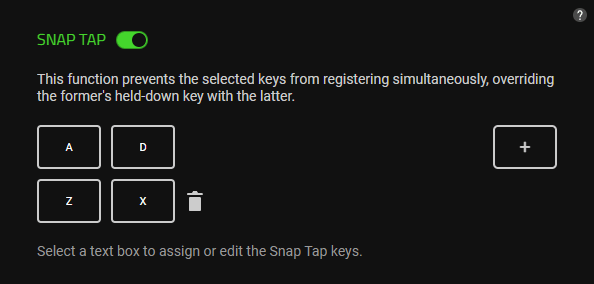
From here on, you can enable or disable the feature, reassign keys, and add up to four additional sets of key pairs.
Note: This can be a single pair onboard the Razer Huntsman V3 Pro, or up to four pairs for devices that utilize Snap Tap via Razer Synapse.
FAQs
Will I get banned for using Razer Snap Tap?
Check the rules and regulations of the game you intend to use Razer Snap Tap on. Some games will possibly prohibit the use of Razer Snap Tap or any other similar keyboard feature. Toggle Razer Snap Tap on and off on any Razer keyboard or Razer Blade laptop accordingly.
Why does Razer Snap Tap not appear on Razer Synapse?
Ensure you are on Razer Synapse 4 as it is not available on Razer Synapse 3. If you are already on Razer Synapse 4, it is recommended to restart the app and ensure the app is updated to the latest version.
Why am I not able to find the Razer Snap Tap option for my devices in Razer Synapse 4?
We are currently working to get Razer Snap Tap on the rest of the devices, stay tuned for updates.
Does Razer Snap Tap being rolled out to other Razer keyboards mean I will get banned in some games just for using the keyboard?
Use your Razer keyboard with the Razer Snap Tap off. Razer Snap Tap is OFF by default, and you will need to toggle it ON for Razer Snap Tap to be active.
You also have the option to turn it off for games that have rules prohibiting the use of Razer Snap Tap or any other similar keyboard feature.
Is Razer Snap Tap stored on board the keyboard?
Razer Snap Tap is only stored on board to Razer Huntsman V3 Pro line of keyboards, where it is useable without Razer Synapse. However, for all other keyboards and Razer Blades, Razer Synapse 4 should be active for Razer Snap Tap to work.
Note: This can be a single pair onboard the Razer Huntsman V3 Pro, or up to four pairs for devices that utilize Snap Tap via Razer Synapse.

