
Lighting flickering or stuttering on your Razer keyboard is commonly caused by connection, firmware, or software issues.
You can view the video below for instructions or review a copy of the video transcript.
Below are the steps to resolve the issue.
-
Connect your keyboard directly to your PC’s USB port.
-
Check for firmware updates.
-
Visit Software and Firmware Updates for Razer Peripherals to see if a firmware update is available for your device.
-
Download the firmware.
-
Follow the on-screen installation instructions.
-
-
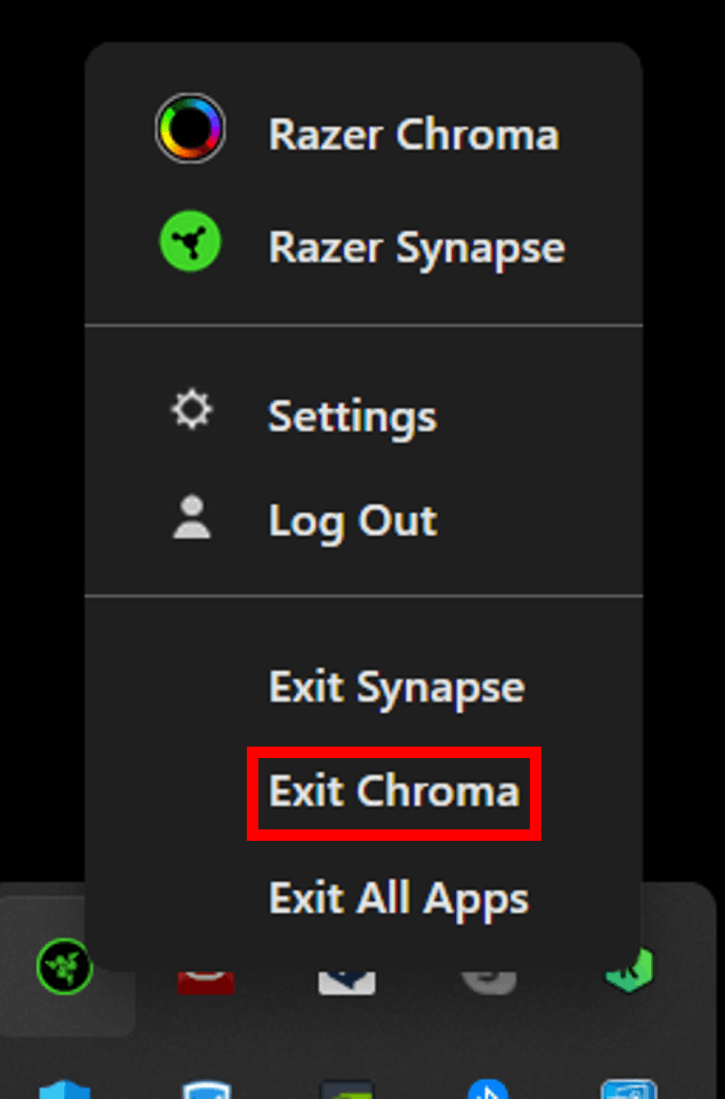
Exit Razer Chroma App.
-
Go to the system tray on your taskbar.
-
Right-click on the Razer icon and select “Exit Chroma”.
-
-
If exiting Razer Chroma App solves the issue, perform a clean re-install of the app. See How to re-install Razer Chroma App for instructions.

