
Effective February 3, 2026, Razer Synapse 3 will no longer receive updates or support cloud services. After this date, cloud syncing of configurations across PCs using the same Razer ID will be disabled.
Note: Your installed devices will continue to be configurable in Razer Synapse 3. However, if you uninstall these devices completely, you will need to upgrade to Razer Synapse 4 to continue customization.
Download Razer Synapse 4 and migrate your existing Razer Synapse 3 profiles using the Profile Migration Tool to retain access to your configurations. See How to migrate your Razer Synapse 3 Profile to Razer Synapse 4 for instructions.
The Razer mouse has the capability to launch Windows operating system shortcuts when it is programmed to its buttons. Below is a list of the different shortcuts available to be programmed to the Razer mouse.
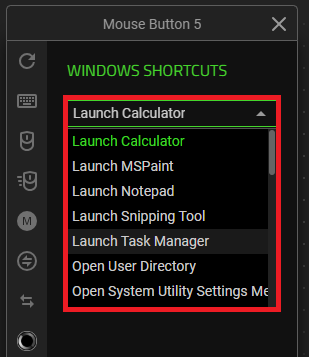
- Launch Calculator
- Launch MSPaint
- Launch Notepad
- Launch Snipping Tool
- Launch Task Manager
- Open User Directory
- Open System Utility Settings menu
- Show Desktop
- Cycle Apps
- Switch Apps
- Close App
- Cut
- Copy
- Paste
See the step-by-step instructions below on how to program and launch shortcuts with a Razer mouse.
Choose an option
Razer Synapse 4
-
Launch Razer Synapse 4.
-
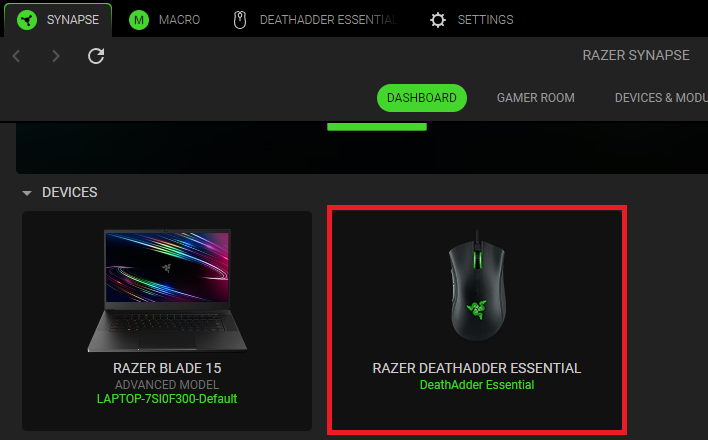
Select your mouse from the DASHBOARD.
-
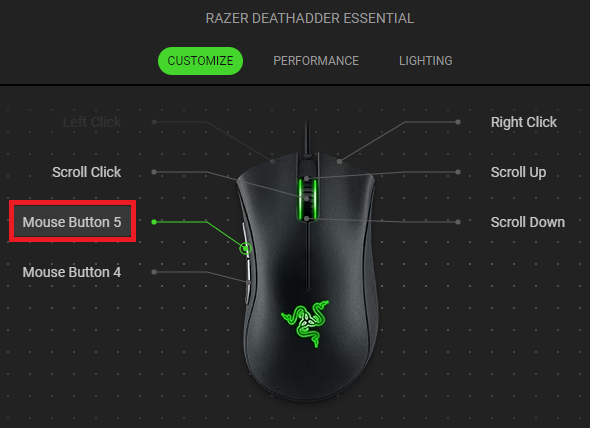
Select a button you want to customize.
-
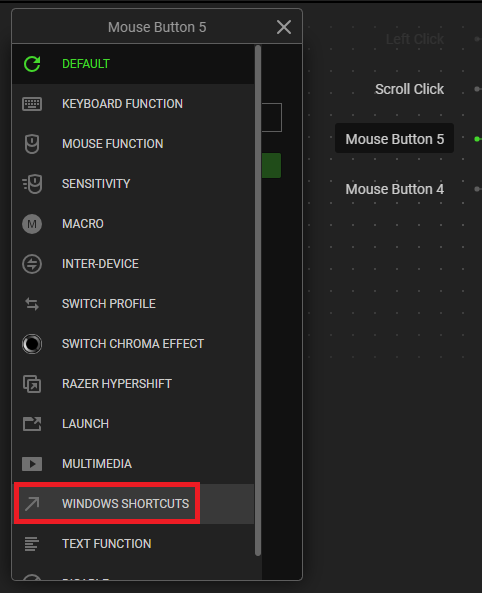
Choose “WINDOWS SHORTCUTS”.
-
Open the dropdown menu and select the shortcut you wish to program to your button.
-
Click “SAVE” to complete the process.
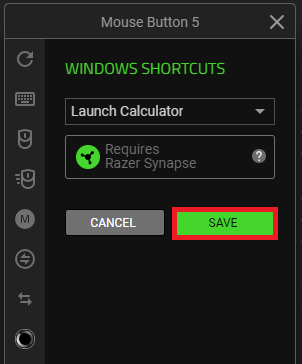
Note: Keep Razer Synapse running in the background to use this function.
The programmed button is displayed after the shortcut on your device layout.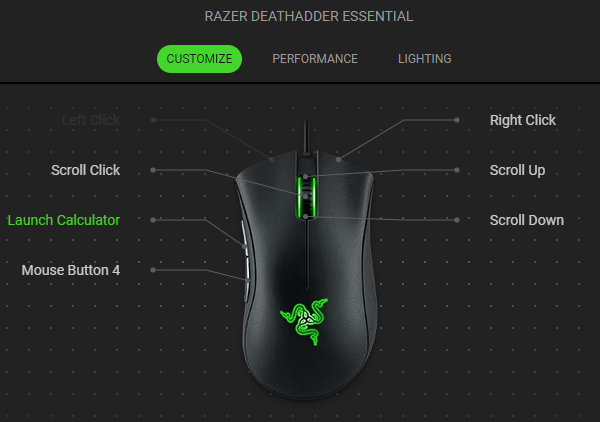
Razer Synapse 3
-
Open Razer Synapse and click on the Razer mouse.

-
Go to the “CUSTOMIZE” tab.
-
Select which button you wish to program with a Windows shortcut and click on it.

-
Click on “WINDOWS SHORTCUTS”.

-
Open the dropdown menu and select the shortcut you wish to program to your button.
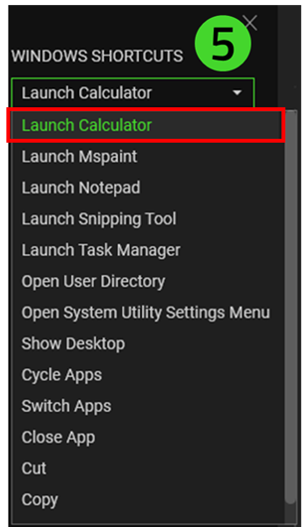
-
Click “SAVE” to complete the process. The button will now be named after the shortcut on your device layout.

The programmed button is displayed after the shortcut on your device layout.


