
A Razer Phone that cannot make or receive phone calls may have an outdated Android OS or a poor network coverage. Follow the troubleshooting steps below to fix this issue.
Note: The instructions below apply to the Razer Phone with the Android Pie installed.
Step-by-step process
- From your home screen, swipe down twice to display quick settings.
- Ensure that the "Airplane mode" and "Do not disturb" are not enabled. If they are enabled, tap the icon(s) to disable.

- Go to Settings > Network & internet > Mobile network.
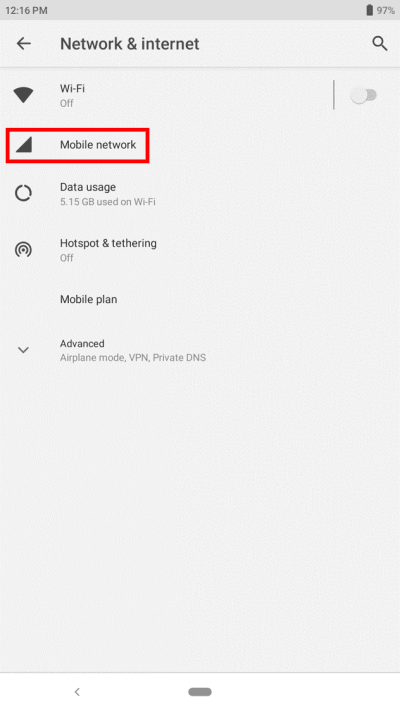
- Tap "Advanced" to display more options, then tap "Preferred network type".
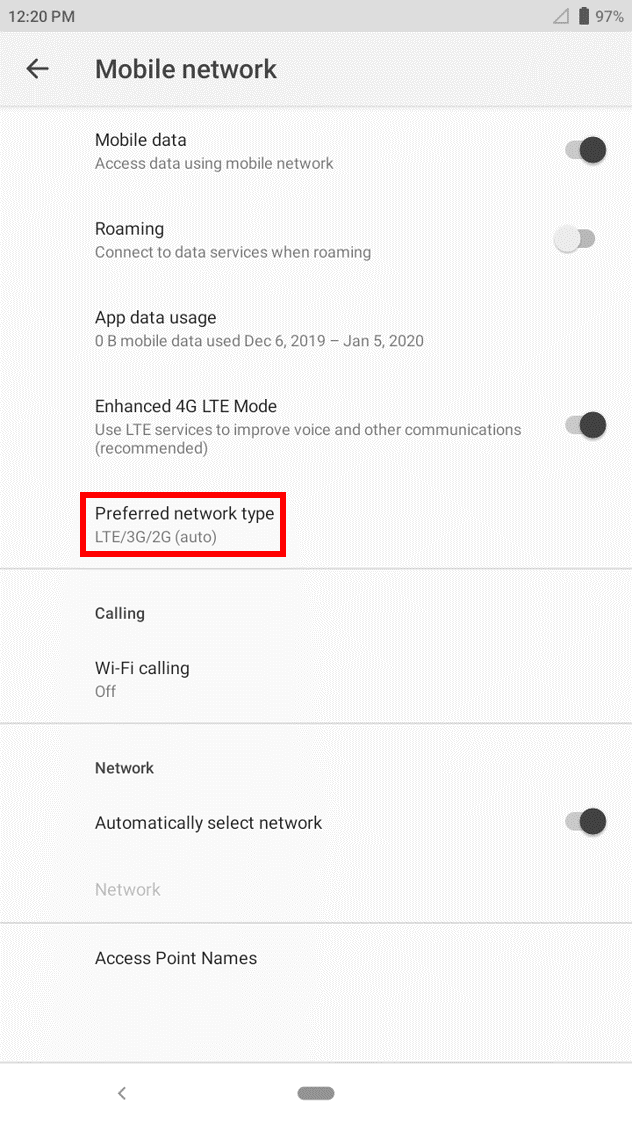
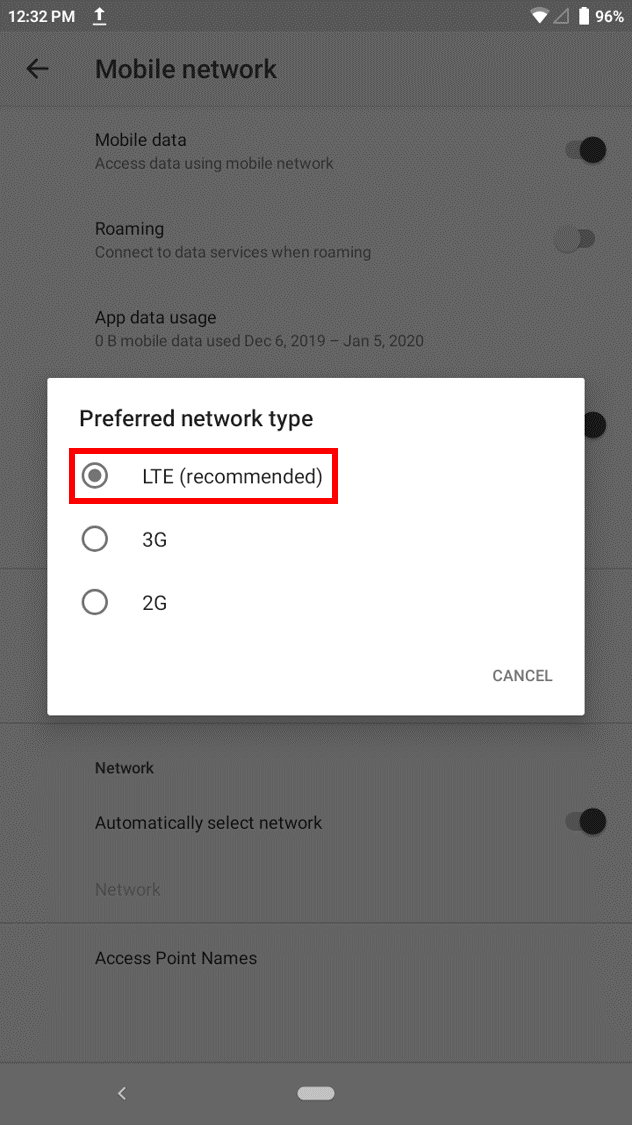
- Ensure that the preferred network type is "LTE/3G/2G (auto)" by selecting the "LTE (recommended)" option.
- If all the settings are correct and you are still experiencing the issue, perform a hard reset.
- If performing hard reset does not help, contact your network provider to verify that everything is okay on their end and attempt to use another SIM card.
- If the issue persists, back up your phone data and perform a factory reset.

