
Razer Hypershift is a feature in Razer Synapse that allows you to temporarily unlock a secondary set of functions on top of your existing button assignments. This feature effectively doubles the number of customizable buttons on your device.
You can view the video below for instructions or review a copy of the video transcript.
Follow the detailed instructions below to activate the Razer Hypershift on a Razer mouse.
-
Assign a command to a button while in standard mode, which is indicated below your mouse on the device layout as “Standard”. See the answer below for more details.
List of commands and controls you can assign to your mouse.
-
Default
-
Keyboard Function
-
Mouse Function
-
Inter-Device
-
Switch Lighting
Click on the “Hypershift” button below the mouse device layout. This will give you a device layout with default settings.
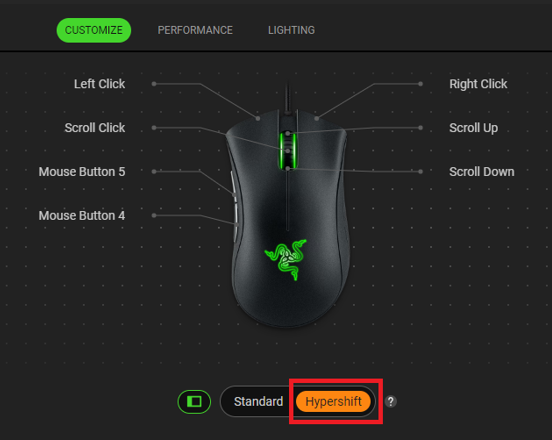
Assign another set of commands to the mouse buttons.
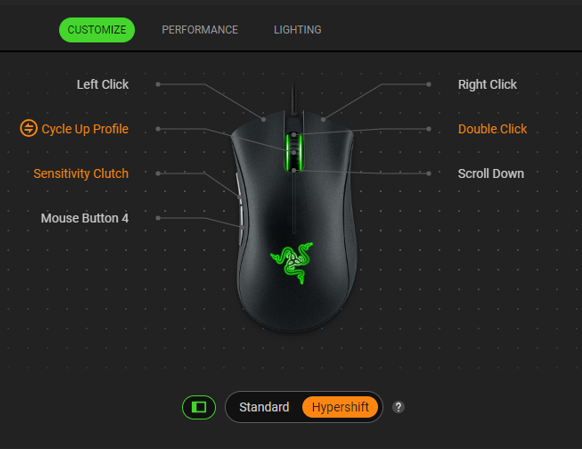
Click on the “Standard” button to change it back to standard mode.

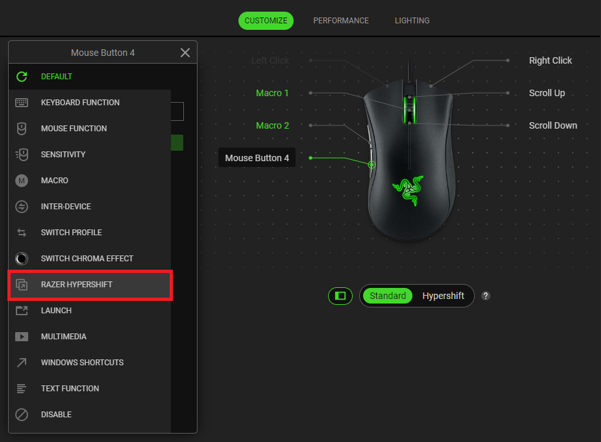
Click the button you want to assign as the Hypershift button and select “RAZER HYPERSHIFT” on the window that pops up.
Click “SAVE” to assign the button as a Hypershift modifier key.
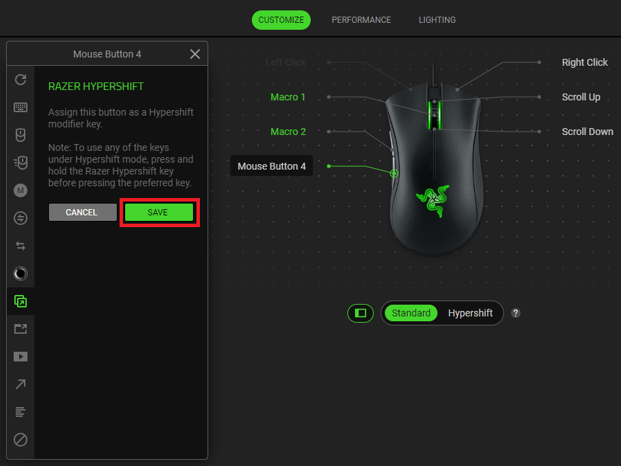
Note: The assigned button will appear in the device layout as “Razer Hypershift”.
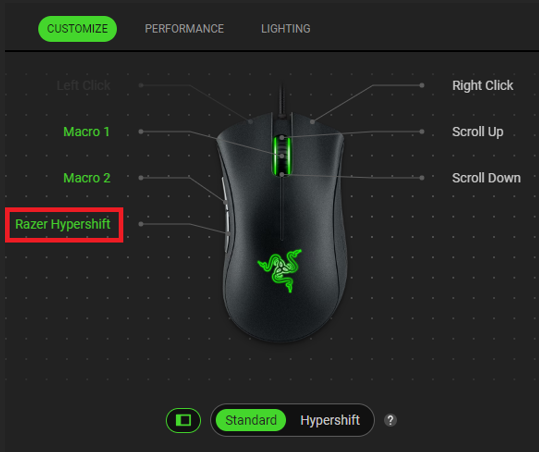
- Press and hold the “Razer Hypershift” button to use any of the keys under Hypershift mode and click on your preferred button with a secondary command.
-

