
Effective February 3, 2026, Razer Synapse 3 will no longer receive updates or support cloud services. After this date, cloud syncing of configurations across PCs using the same Razer ID will be disabled.
Note: Your installed devices will continue to be configurable in Razer Synapse 3. However, if you uninstall these devices completely, you will need to upgrade to Razer Synapse 4 to continue customization.
Download Razer Synapse 4 and migrate your existing Razer Synapse 3 profiles using the Profile Migration Tool to retain access to your configurations. See How to migrate your Razer Synapse 3 Profile to Razer Synapse 4 for instructions.
Deleting your Razer Synapse account requires deleting your Razer ID, as it serves as a unified account for all Razer services, including Razer Synapse, Razer Gold, Razer Cortex, and more. Doing so will also remove your Razer Synapse settings, profiles, configurations, and access to other linked services.
Note: A deleted Razer ID will no longer be recovered.
See the step-by-step instructions below on how to delete a Razer Synapse account.
- Log in to your Razer ID.
- Click "Delete Account" under the "ACCOUNT" tab.
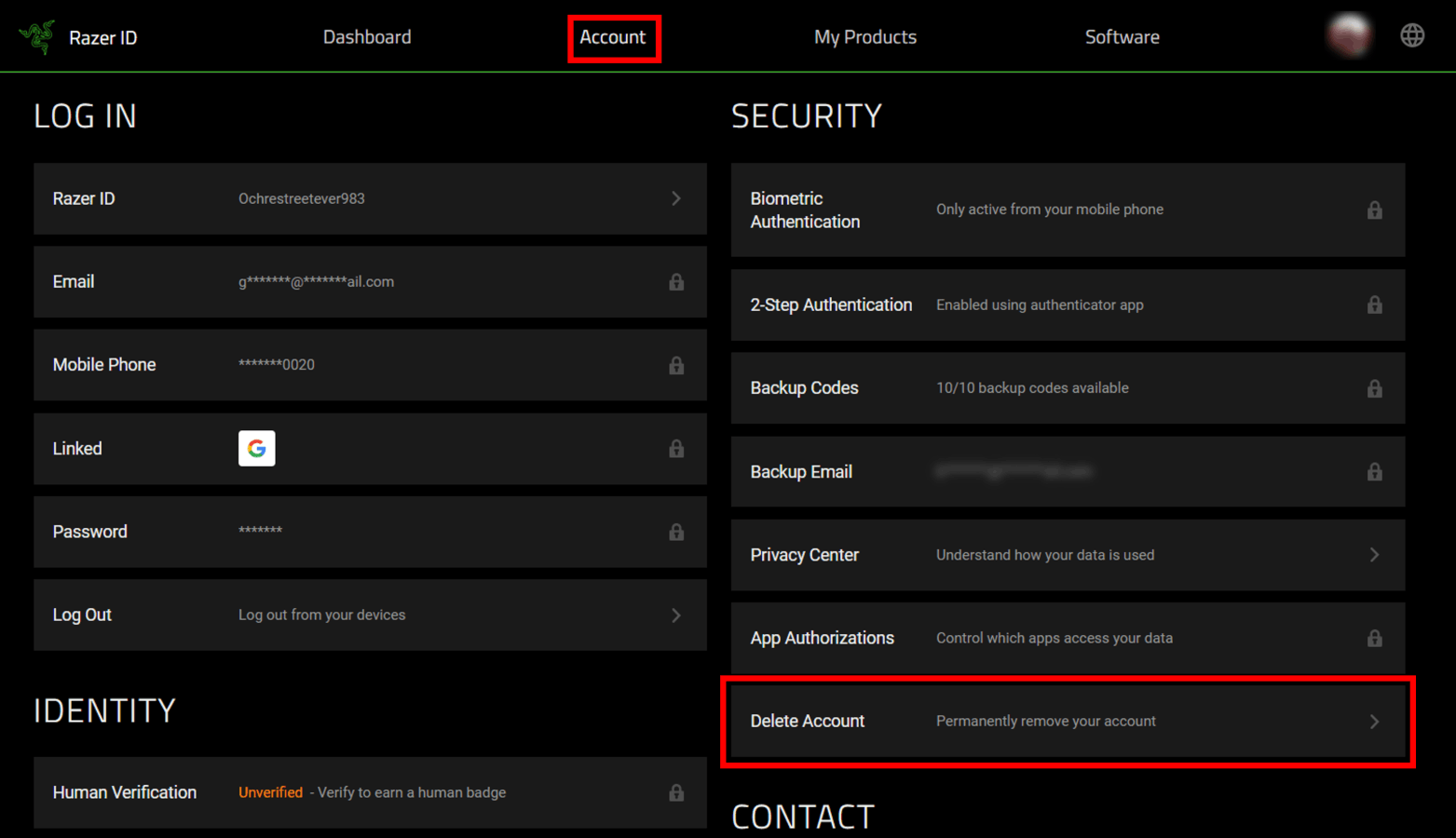
- Click the "DELETE ACCOUNT" button.
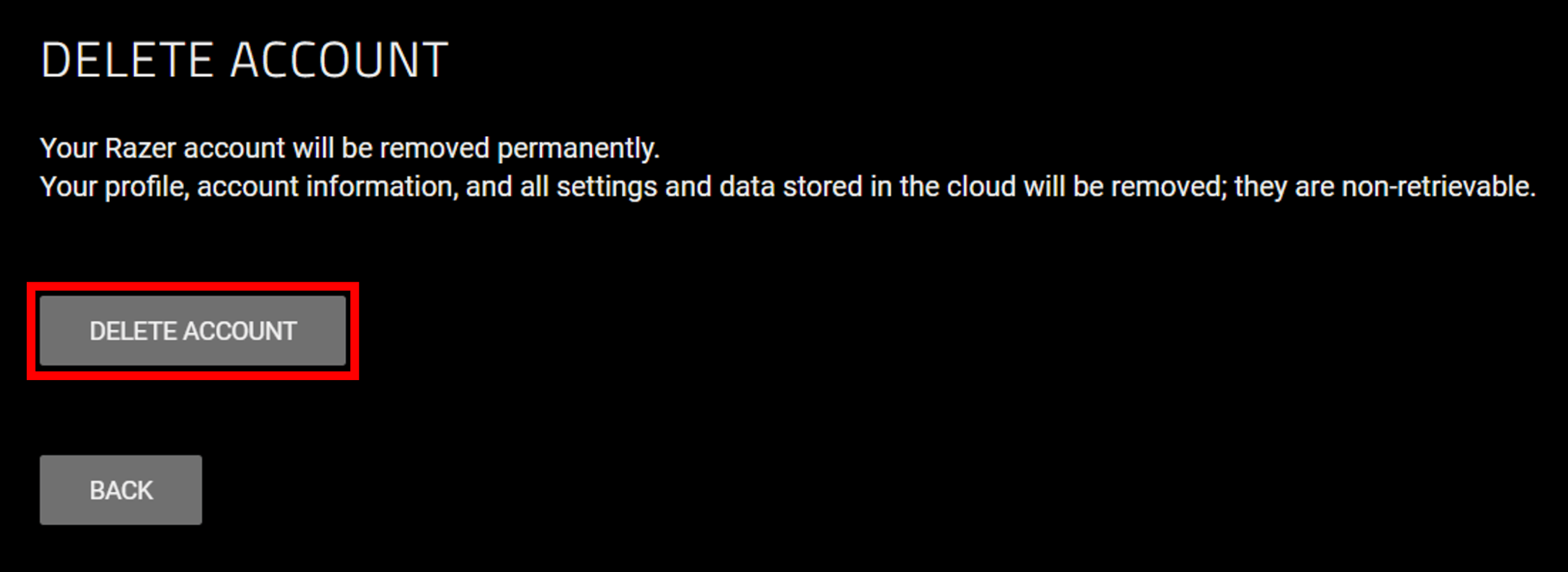
Important: Your Razer Account will be permanently deleted. All your profile, account information, and all settings and data stored in the cloud will be removed and can no longer be recovered.
-
Check the inbox of your verified email address linked to your Razer ID for the 6-digit code to confirm your deletion process for the 2-step authentication.
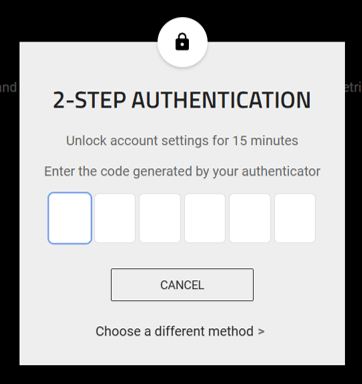
If you are unable to delete your account successfully, contact Razer Support for assistance.

