
If the Razer Edge is not connected to a mobile network service, your device will not find a signal from your cellular carrier. Choose an option below to resolve this issue.
Turn off Airplane Mode
- Tap the “Settings” app on your Razer Edge.
- Tap “Network & internet”.
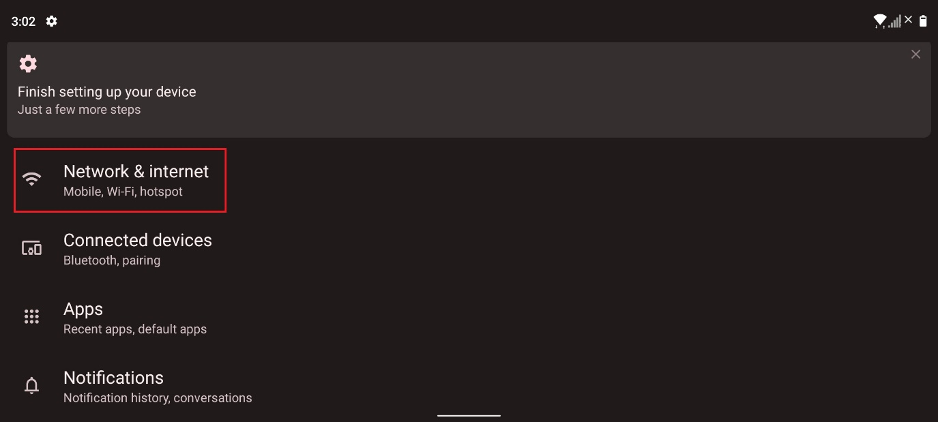
- Make sure “Airplane mode” is turned off.
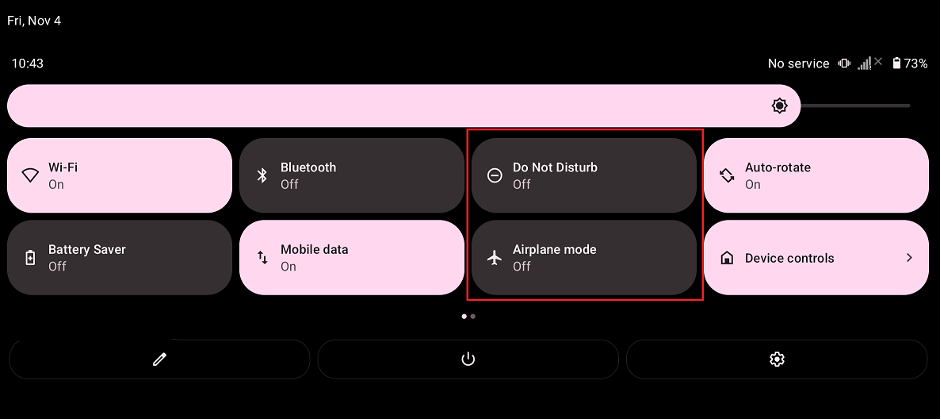
Turn off Do Not Disturb
- Tap the “Settings” app on your Razer Edge.
- Tap “Network & internet”.
- Make sure “Do Not Disturb” is turned off.
Manually check the network connection
- Tap the “Settings” app on your Razer Edge.
- Tap “Network & internet”.
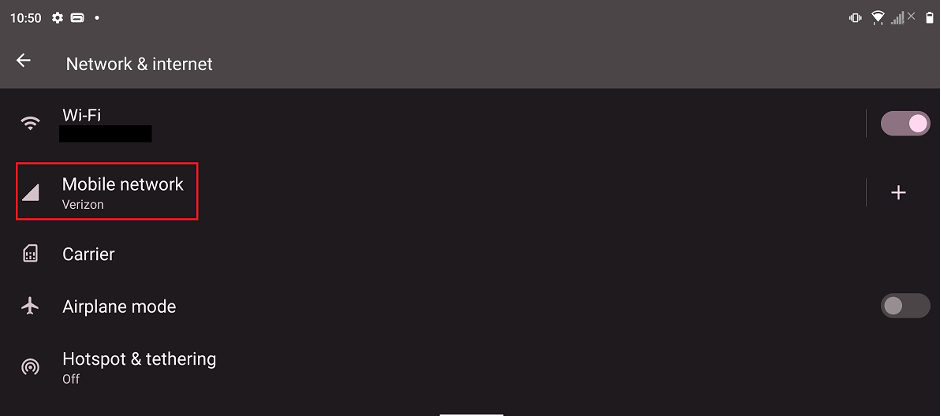
- Tap “Mobile network”.There is a lock-out period of 30 seconds after five initial failed attempts.
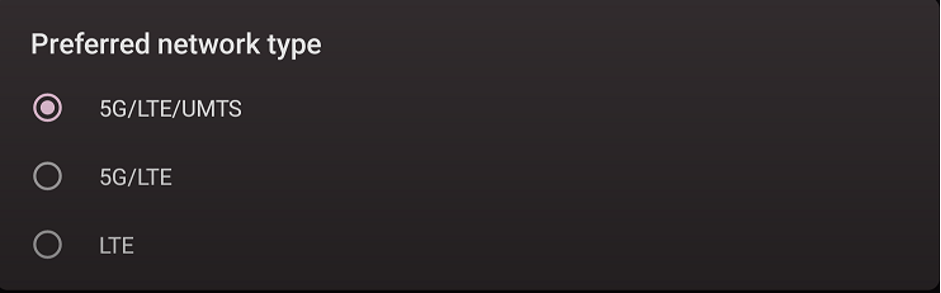
- Tap “Preferred network type”.
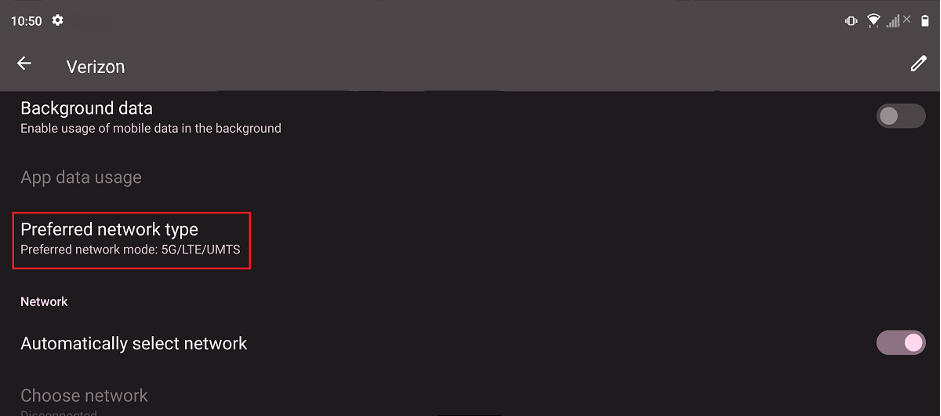
- Choose 5G/LTE/UMTS.
Reset the Razer Edge
- Perform a hard reset on your Razer Edge.
- Contact Verizon to verify that everything is good on their end.
- Use another Verizon sim card.
- Back up your device’s data and perform a factory data reset.

