
If the Razer Edge restarts itself without any prompt, this issue is likely caused by incompatible apps or bugs in previous versions of the software. To fix this, do the following:
Note: Ensure the Razer Edge is sufficiently charged or keep the device plugged in throughout the whole troubleshooting process.
-
Boot the Razer Edge to safe mode.
-
Press Volume up and power button simultaneously.
-
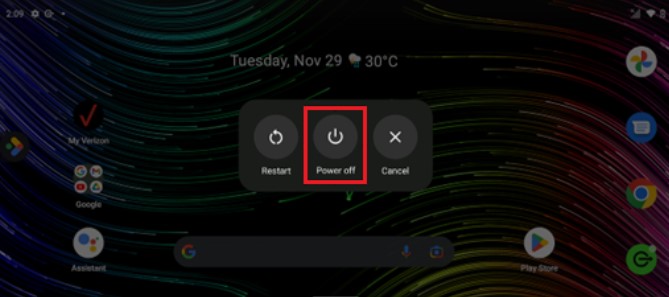
Tap and hold the “Power off” button.
-
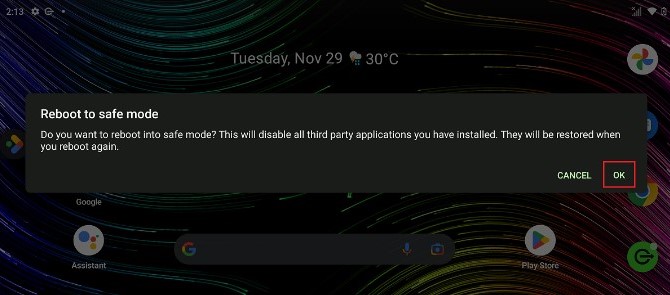
Tap “OK”.
-
-
Observe the device for up to 24 hours to see if the issue persists.
Note: If the device works normally under safe mode, the issue is due to a third-party application. Uninstall the application you last downloaded before the issue appeared. -
If the issue persists, check if you are running the latest software for the device.
- Go to “Settings”.
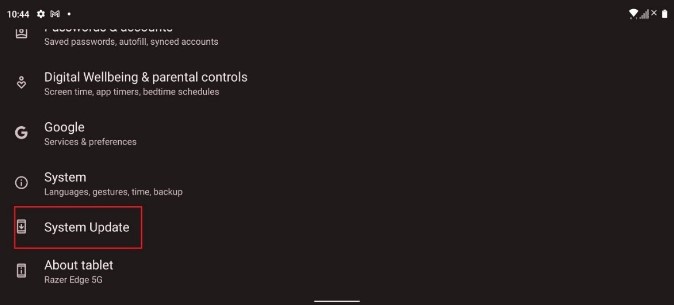
- Tap “System Update”.
- Tap “Check for New System Update”.
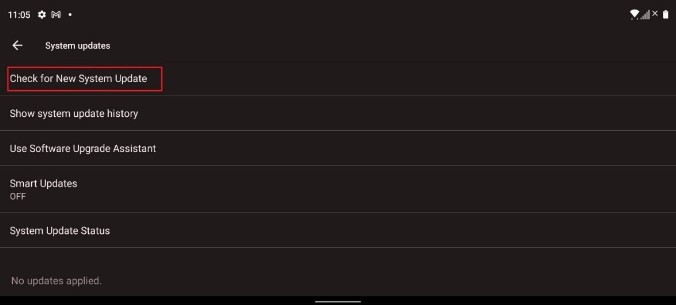
The system will then automatically detect if there is an available update and will ask you if you wish to proceed.
-
If you are still experiencing the issue, perform a factory reset.
Important: Back up all your data before performing a factory reset since this process will delete all data and settings on the Razer Edge.- Go to “Settings” > “System”.
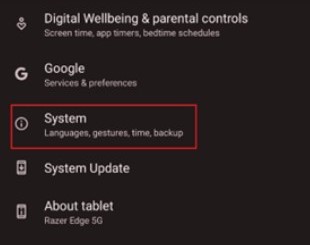
- Tap “Reset options”.
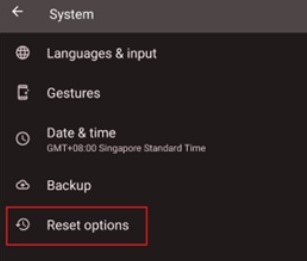
- Select “Erase all data (factory reset)”.
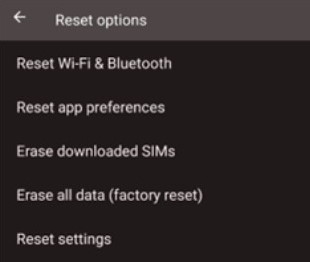
- Do not interrupt and wait for the factory reset to finish.
- Go to “Settings” > “System”.

