
Step-by-step process
-
Turn off "Flight Mode" on the Razer Phone.
-
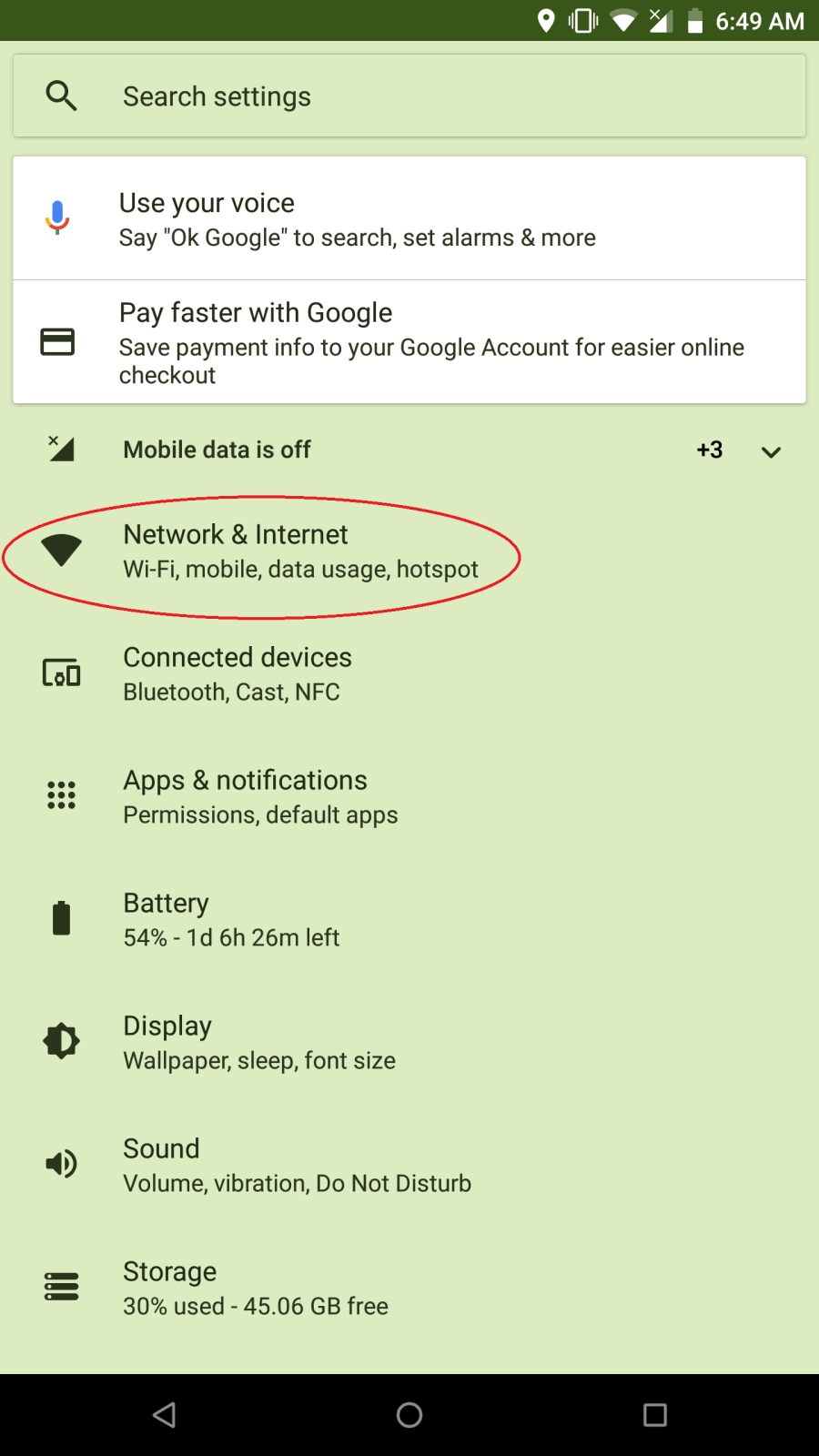
Open the app list and select "Settings".

-
Select "Network & Internet".
-
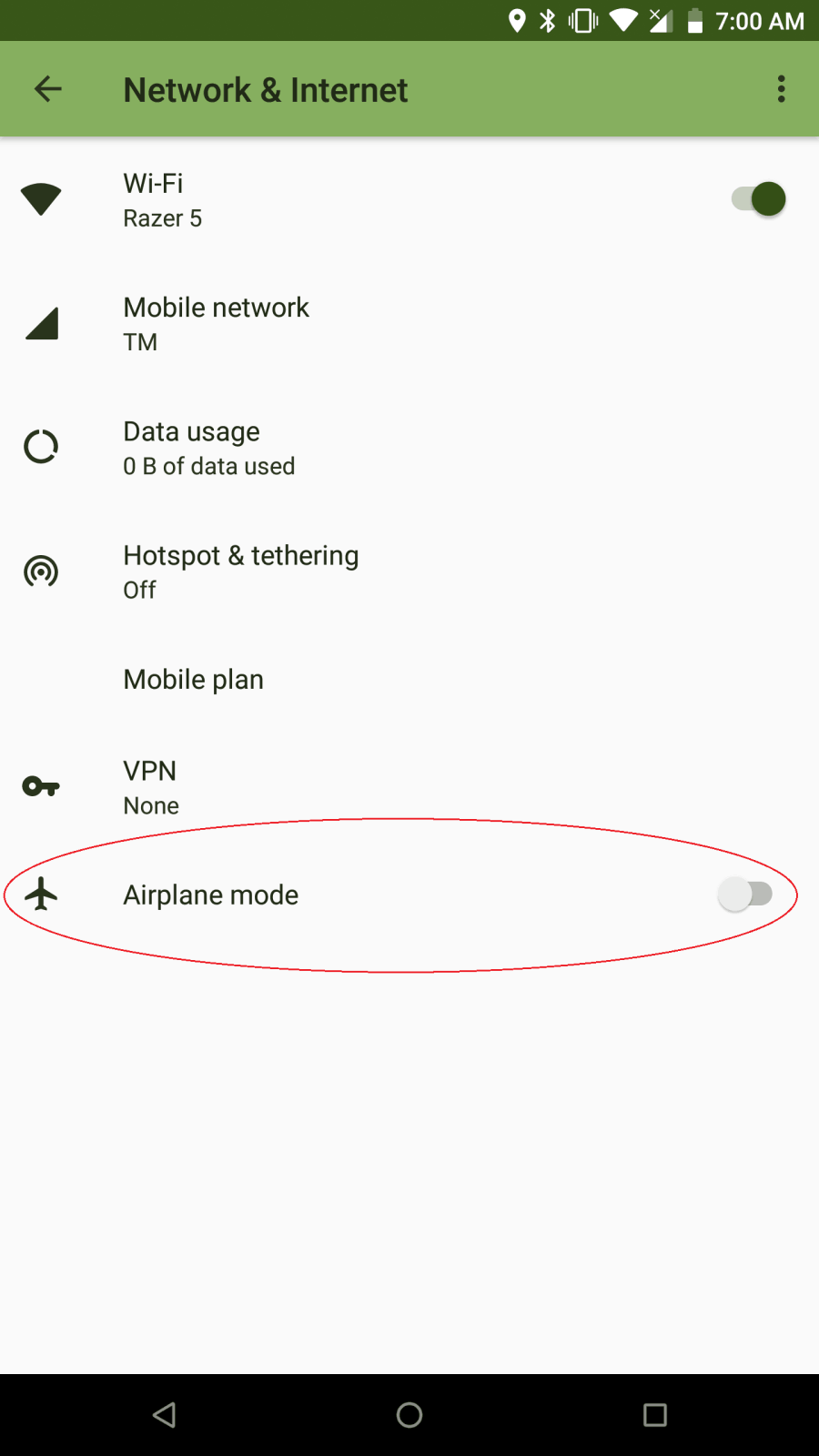
Make sure the "Airplane mode" setting is off.
-
-
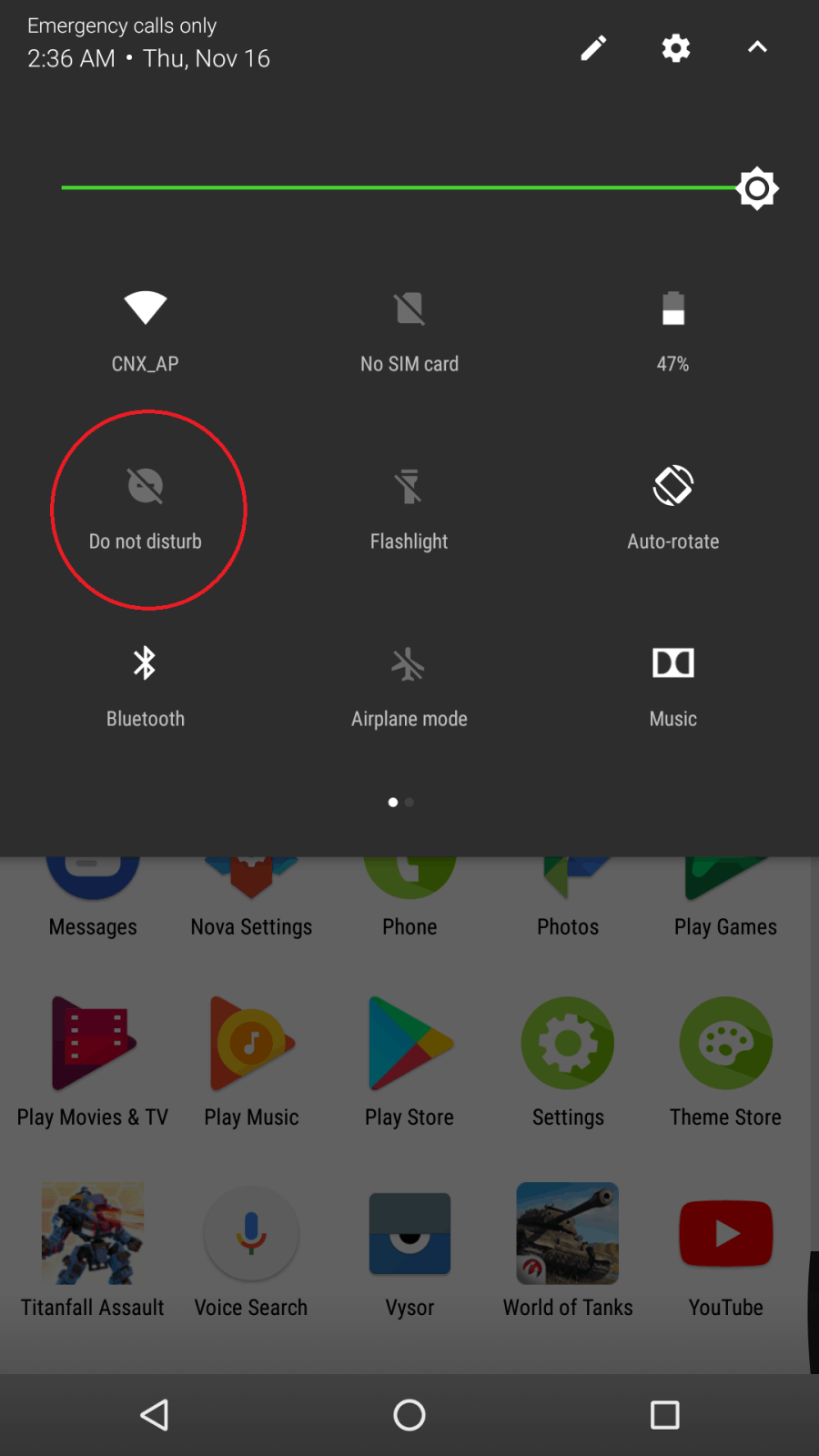
Make sure that the "Do not disturb" setting is turned off.
-
Manually check the network connection.
-
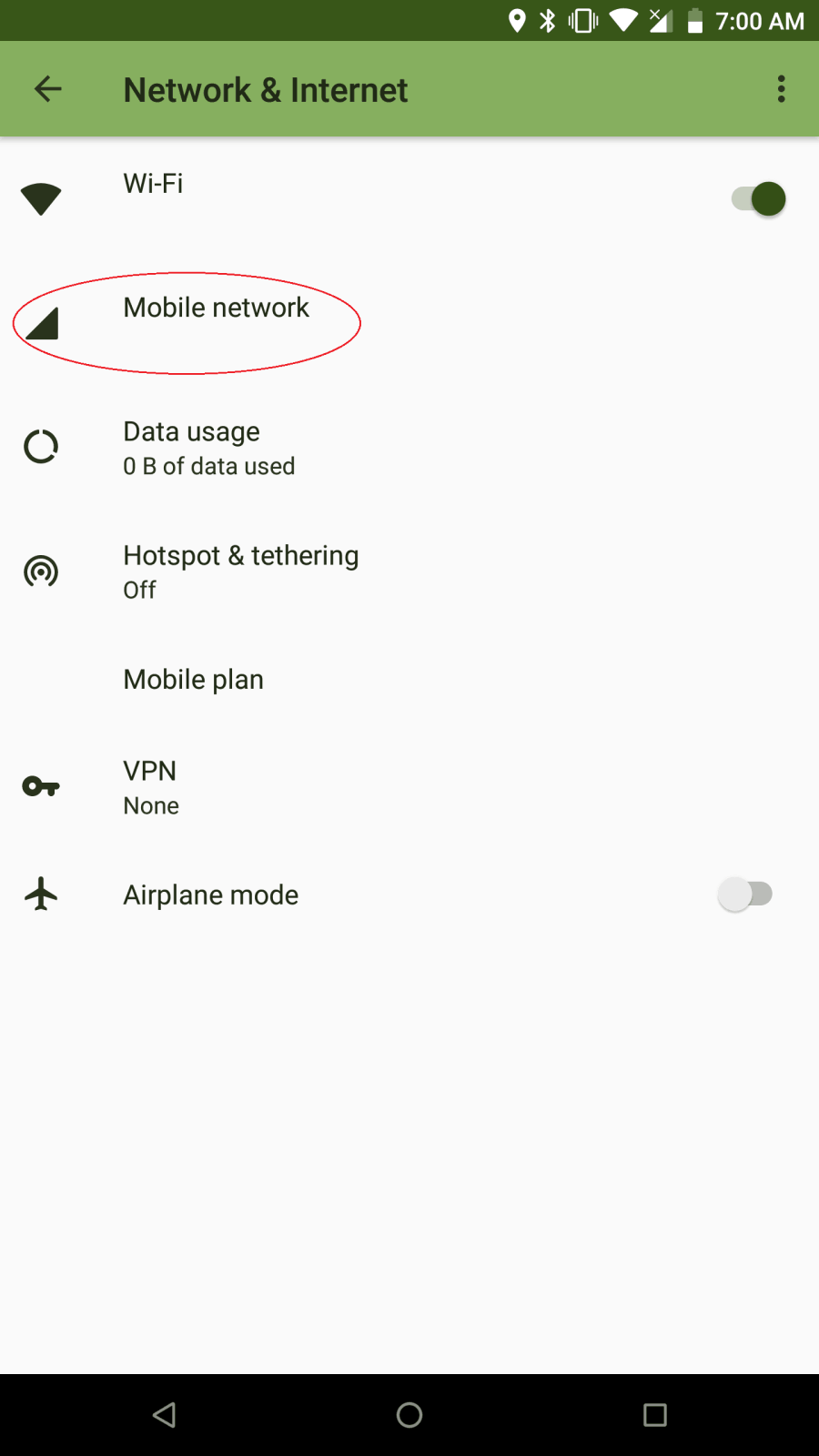
Under "Network & Internet", tap and select "Mobile Networks".
-
Ensure that the preferred network type is "LTE/3G/2G".

-
-
If the issue persists, perform the following:
-
Do a hard reset.
-
Contact your network provider to verify that everything is okay on their end and attempt to use another SIM card.
-
Back up your phone data and perform a factory data reset.
-

