
If you experience crashing of the apps when you open them on the Razer Phone, you need to clear cache and data to resolve the issue. Follow the steps below:
-
Clear the cache from Contacts App.
-
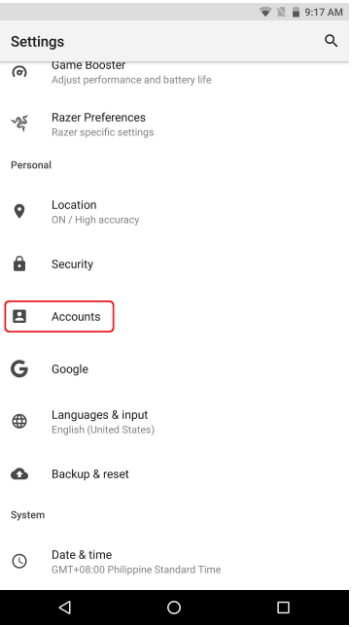
Go to Settings > Accounts.
-
Check each account and ensure the "Contacts" sync is toggled OFF.

-
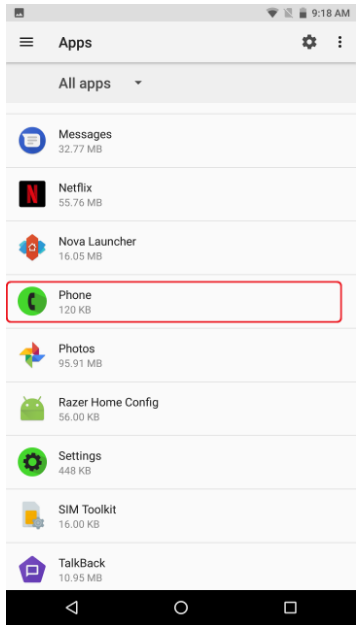
Go to Settings > Apps and select "Phone App".
-
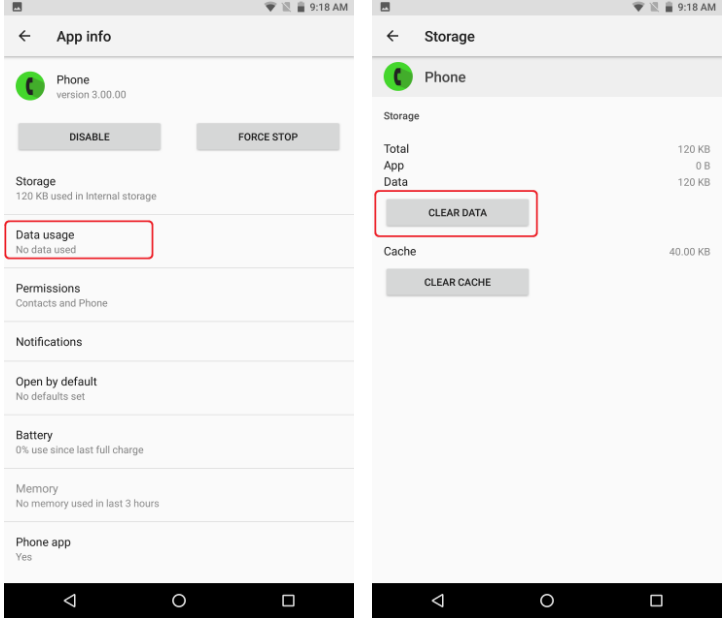
Tap "Data usage" and click "CLEAR DATA".
-
Click "OK" to proceed with clearing your Phone App data.
-
Go back to Settings > Accounts.
-
Check each account and ensure the "Contacts" sync is toggled back to ON.
-
Open your Phone App and check if the issue has been resolved.
-
If the issue persists, back up the data and perform a factory reset.

