
Effective February 3, 2026, Razer Synapse 3 will no longer receive updates or support cloud services. After this date, cloud syncing of configurations across PCs using the same Razer ID will be disabled.
Note: Your installed devices will continue to be configurable in Razer Synapse 3. However, if you uninstall these devices completely, you will need to upgrade to Razer Synapse 4 to continue customization.
Download Razer Synapse 4 and migrate your existing Razer Synapse 3 profiles using the Profile Migration Tool to retain access to your configurations. See How to migrate your Razer Synapse 3 Profile to Razer Synapse 4 for instructions.
-
Search for "Apps & features" in the Windows search box then click on it.

-
Click Search sort, and filter by drive, then type: "Razer". A list of Razer programs installed in Windows will appear and can vary by PC.
-
Click on Razer Synapse, select "Uninstall", then click on "Uninstall" again.

- Click "Yes" once the Windows User Account Control prompt opens.
-
Click "UNINSTALL".
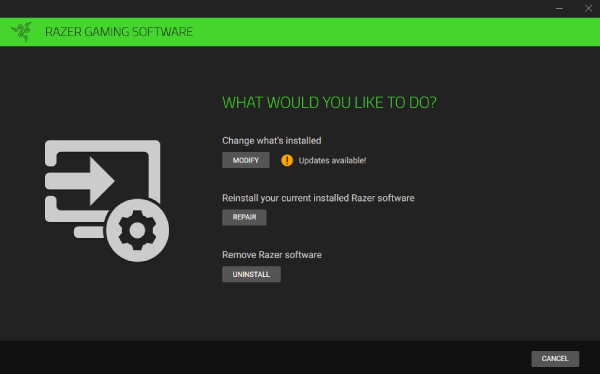
-
Under Select the Software to Uninstall, click "RAZER SYNAPSE" then click "UNINSTALL".

-
Click "YES, REMOVE".

-
Click "CLOSE".


